
**Picture this:** A student who struggles with reading finally gains confidence through an AI tutor that adapts to their pace. A teacher who spent hours grading essays now redirects that energy toward one-on-one mentoring. A classroom where language barriers dissolve as AI translates instructions in real-time.
Artificial intelligence is transforming K-12 classrooms from abstract possibility into daily reality. You’re not imagining a distant future—these tools are already helping educators like you manage the complex demands of modern teaching while creating more personalized learning experiences for every student.
The challenge isn’t whether AI belongs in your classroom, but rather which tools will genuinely lighten your load without adding complexity. You’re already juggling lesson planning, behavior management, differentiated instruction, and administrative tasks. The right AI applications should make these responsibilities more manageable, not pile on another learning curve.
This article cuts through the hype to show you practical, classroom-tested examples of AI in action. You’ll discover specific tools for automating routine tasks, personalizing student support, enhancing engagement, and streamlining communication—all organized by the real classroom management challenges they solve. Whether you’re tech-savvy or just getting started, you’ll find approachable options that fit your teaching style and your students’ needs.
Let’s explore how AI can become your most reliable teaching assistant, giving you back the time and energy to focus on what matters most: your students.
What AI-Powered Classroom Management Actually Means
AI-powered classroom management isn’t about robots taking over your teaching role—it’s about smart tools that handle time-consuming administrative tasks so you can focus on what matters most: connecting with your students. Think of AI as your tireless teaching assistant, one that never gets overwhelmed by paperwork or forgets to follow up on student progress.
Unlike traditional classroom management tools that simply store information, AI actively learns from patterns and provides insights you might miss during a busy school day. Your traditional gradebook records scores; an AI-enhanced system notices that students consistently struggle with specific question types on Thursdays and suggests adjusting your lesson timing. Your conventional attendance tracker marks absences; AI identifies concerning patterns before they become serious problems.
Here’s what AI in classroom management actually does: it analyzes data quickly, recognizes trends across multiple students, automates repetitive tasks like grading multiple-choice assessments, and offers personalized recommendations based on evidence. These AI-powered strategies enhance your professional judgment rather than replace it.
Let’s address the biggest misconception: AI won’t replace teachers because it can’t build relationships, show empathy, adapt to unexpected moments, or inspire students through personal connection. You remain the heart of your classroom. AI simply handles the logistics more efficiently, giving you back precious time for the human elements of teaching that drew you to this profession in the first place.
When educators understand AI as a supportive tool rather than a threatening replacement, they’re better positioned to explore practical applications that genuinely improve their daily classroom experience.

Attendance and Participation Tracking Made Effortless
Smart Attendance Systems That Save You Time
Taking attendance manually can consume precious minutes at the start of each class—time you could spend actually teaching. AI-powered attendance systems are changing this routine, allowing you to focus on what matters most: your students.
Modern facial recognition tools like Kogniz and Invoy integrate seamlessly with your existing classroom setup, automatically marking students present as they enter the room. These systems work through mounted cameras or tablets positioned near doorways, creating a contactless, efficient process that students barely notice.
For younger learners or schools with privacy concerns, QR code-based systems offer an excellent alternative. Students simply scan a unique code displayed on your board using school-issued devices, and the system logs their attendance instantly.
**Practical Implementation Tips:**
Start small by piloting the system with one class period before rolling it out school-wide. This helps you troubleshoot technical issues and gather student feedback in a low-pressure environment.
Communicate transparently with parents about data privacy measures and how facial recognition data is stored and protected. Most systems comply with FERPA regulations and don’t retain biometric data permanently.
Always maintain a manual backup option for the first few weeks—technology occasionally hiccups, and you’ll want peace of mind during the transition period.
Engagement Analytics That Reveal Hidden Patterns
AI-powered analytics platforms can transform how you understand student participation in your classroom. These systems quietly track engagement patterns across discussions, activities, and assignments, creating detailed profiles that reveal which students might be slipping through the cracks.
Tools like ClassDojo and GoGuardian Beacon monitor participation frequency, quality of contributions, and behavioral indicators that signal when a student is withdrawing. Rather than relying solely on your observations during a busy class period, these platforms identify trends you might miss—like a student who participates verbally but never completes written work, or one who’s gradually reducing their engagement over weeks.
The real power emerges when AI flags early warning signs. If a typically active student suddenly becomes quiet, the system alerts you immediately, enabling intervention before small concerns become major obstacles. These insights complement proven student engagement strategies you’re already using, helping you target your support where it’s needed most.
Many platforms also provide visual dashboards showing participation equity across your classroom, helping ensure every voice gets heard and valued throughout your lessons.
Behavior Management Tools That Support Positive Discipline
Pattern Recognition for Early Intervention
AI-powered pattern recognition tools act as your extra set of eyes, helping you spot concerning trends before they escalate into serious classroom challenges. These systems analyze various data points—attendance records, assignment completion rates, participation levels, and even facial expressions in some platforms—to identify students who may be struggling emotionally or academically.
For example, ClassDojo’s analytics can flag when a student’s positive behavior points suddenly drop, prompting you to reach out for a supportive conversation. Similarly, platforms like Panorama Education use AI to track student wellness surveys and alert administrators to students showing signs of disengagement or distress.
These early warning systems are particularly valuable because they catch patterns humans might miss in the daily rush. You might notice that a typically engaged student has been quieter lately, but AI can quantify that their participation has dropped 40% over two weeks—making intervention more urgent and data-informed.
The beauty of these tools is their preventive approach. Rather than reacting to major disruptions, you’re empowered to have proactive, caring conversations with students. This transforms classroom management from firefighting to relationship-building, allowing you to address root causes while issues are still manageable. Remember, these insights complement—not replace—your professional judgment and understanding of each unique student.
Data-Driven Positive Reinforcement Systems
AI-powered behavior tracking systems are transforming how you recognize and encourage positive student actions throughout the school day. These platforms automatically monitor behaviors like participation, helping peers, completing assignments on time, and demonstrating kindness, creating comprehensive profiles that highlight each student’s strengths.
**ClassDojo** remains one of the most widely adopted solutions, allowing you to award points instantly through your device while students and parents view progress in real-time. The platform’s visual feedback system resonates particularly well with younger learners who thrive on immediate recognition.
**LiveSchool** takes this further by gamifying the entire reward process, letting students “spend” earned points on privileges or prizes you’ve customized for your classroom. The system generates detailed analytics showing behavior trends, helping you identify which positive reinforcement strategies work best for different students.
**PBIS Rewards** specializes in school-wide implementation, tracking positive behaviors across multiple classrooms and common areas. Its AI engine identifies patterns and suggests personalized interventions when students need additional support.
The beauty of these systems lies in their ability to shift focus from correcting negative behaviors to celebrating positive ones. By automating the tracking process, you spend less time on paperwork and more time building meaningful connections with students who need encouragement most.

Personalized Learning Paths That Reduce Classroom Chaos
Adaptive Assignment Systems
Adaptive assignment systems represent a breakthrough in personalized learning, automatically adjusting to each student’s performance in real-time. These AI-powered tools analyze how students interact with content, then modify difficulty levels to maintain that sweet spot where learners feel challenged but not overwhelmed.
Platforms like DreamBox Learning and IXL use sophisticated algorithms to identify when a student masters a concept and when they need additional support. If a student breezes through multiplication problems, the system increases complexity. If they struggle, it breaks concepts into smaller, more manageable steps and provides targeted practice.
What makes these systems particularly valuable for classroom management is their ability to keep all students productively engaged simultaneously. While you’re working with a small group, the rest of your class receives appropriately challenging work without constant intervention. The AI tracks progress and provides instant feedback, reducing the frustration that often leads to behavioral issues.
Many teachers report that adaptive systems help identify learning gaps they might have otherwise missed. The detailed analytics show exactly where each student needs support, allowing you to focus your one-on-one time more effectively and celebrate individual progress meaningfully.

Smart Grouping and Differentiation
Managing a diverse classroom becomes more achievable when AI tools analyze learning data to recommend student groupings and personalized activities. These platforms examine factors like current skill levels, learning preferences, collaboration patterns, and specific areas where students need support or challenge.
Tools like DreamBox and Lexia automatically adjust content difficulty for individual students, while platforms such as Classcraft suggest strategic groupings for projects based on complementary skills and learning needs. Some AI systems even propose flexible grouping arrangements that change throughout the day—pairing struggling readers with peer mentors during literacy time, then regrouping students by interest for science exploration.
This technology particularly shines when planning differentiated instruction with technology, helping you move beyond gut feelings to data-informed decisions. Instead of spending hours analyzing assessments and planning multiple lesson versions, you receive actionable grouping suggestions within minutes.
The result? You can focus energy on meaningful instruction rather than logistical puzzles. These AI recommendations serve as a starting point—you maintain complete control to adjust based on social dynamics, behavioral considerations, and your invaluable classroom insights that no algorithm can replace.
Real-Time Communication Tools for Parents and Administrators
Keeping parents informed and administrators updated shouldn’t add another hour to your already packed day. AI-powered communication tools are stepping in to handle routine updates, translate messages, and ensure everyone stays connected—without requiring you to craft individual emails at 10 PM.
**ClassDojo** has evolved beyond its original behavior tracking system to include AI-enhanced messaging features that help you share classroom highlights, student progress, and important announcements with families. The platform’s translation capabilities automatically convert your messages into over 35 languages, ensuring that language barriers don’t prevent parents from staying engaged in their child’s education.
**Remind** uses intelligent scheduling to send automated reminders about upcoming assignments, field trips, or parent-teacher conferences. You can set up message templates that the AI personalizes based on student-specific information, saving you from repetitive typing while maintaining that personal touch families appreciate.
**ParentSquare** integrates AI to analyze communication patterns and suggest optimal times for sending important messages, increasing the likelihood that parents will actually see them. The platform also consolidates responses, highlights questions that need your attention, and can automatically route administrative queries to the appropriate staff members.
For administrators, tools like **SchoolStatus** use AI to generate weekly engagement reports, identifying families who might need additional outreach and tracking overall communication effectiveness across your school. This data-driven approach helps ensure no family falls through the cracks.
These platforms work in the background, handling the logistics of keeping everyone informed while you focus on what matters most—teaching. They’re particularly valuable for supporting families who work multiple jobs or have limited time to check multiple communication channels throughout the day.
Classroom Environment Monitoring and Optimization
Creating the ideal physical learning space has always been part of effective teaching, and AI is now offering innovative ways to optimize your classroom environment based on data rather than guesswork. These tools analyze factors you might not even realize are affecting your students’ ability to focus and learn.
AI-powered noise monitoring systems track classroom sound levels throughout the day, identifying patterns that correlate with student engagement and behavior. Tools like ClassroomIQ and SoundSense AI measure decibel levels and analyze the types of sounds occurring—productive discussion versus disruptive chatter. You’ll receive actionable insights about when noise levels spike and suggestions for adjusting your classroom management strategies during those times. Some systems even provide gentle visual alerts when the room becomes too loud, helping students self-regulate without your constant intervention.
Beyond sound, AI applications can analyze your classroom layout’s effectiveness by processing photos or floor plans. These tools consider factors like natural light distribution, student sightlines to instructional areas, and traffic flow patterns. Based on educational research and thousands of classroom configurations, they suggest furniture arrangements that promote collaboration or independent work depending on your teaching goals.
Temperature and air quality sensors integrated with AI systems can alert you when conditions aren’t optimal for learning. Studies show that room temperature and CO2 levels significantly impact student concentration, and these tools help you maintain ideal conditions without constantly thinking about it.
While these technologies might seem futuristic, they’re becoming more accessible and affordable for everyday classrooms. Start with one aspect—perhaps a simple noise monitoring app—and evaluate how the data helps you make more informed decisions about your learning environment. You’re not replacing your teaching intuition; you’re enhancing it with evidence.
Making AI Work in Your Classroom: Practical Starting Points
Start Small: One Tool, One Problem
You don’t need to transform your entire classroom overnight. The most successful AI integration starts with identifying your single biggest pain point. Are you spending hours providing individual feedback on student writing? Consider starting with an AI writing assistant. Struggling to differentiate instruction for varied learning levels? An adaptive learning platform might be your best first step.
Take a moment to reflect on what consumes most of your time or causes the greatest frustration in your daily routine. Perhaps it’s creating engaging lesson materials, tracking student progress, or communicating with parents. Once you’ve pinpointed that challenge, research one AI tool specifically designed to address it.
Start with a free trial or basic version, and test it with just one class or subject area. This focused approach lets you learn the tool thoroughly, troubleshoot any issues, and measure its real impact before expanding. You’ll build confidence through small wins rather than feeling overwhelmed by trying to implement multiple tools simultaneously.
Remember, every educator who successfully uses AI in their classroom started exactly where you are now—with a single problem and a willingness to try something new. Your journey begins with just one thoughtful choice.
Building Teacher and Student Buy-In
Successfully introducing AI tools to your classroom starts with transparency and collaboration. Begin by sharing your own curiosity and learning journey with students—modeling that you’re exploring these tools together builds authenticity and reduces anxiety about technology replacing human connection.
Host a “discovery session” where students can experiment with AI tools firsthand, encouraging them to share both excitement and concerns. This creates ownership and helps you identify champions who can support their peers. For parents and administrators, demonstrate specific examples of how AI supports—not replaces—your teaching expertise, emphasizing time saved on administrative tasks that allows more personalized student interaction.
Start small with low-stakes applications like AI-assisted brainstorming for creative writing or study guide generation. As comfort grows, expand usage based on community feedback. Create clear guidelines together about appropriate AI use, involving students in developing classroom policies around academic integrity and responsible technology use.
Remember, buy-in strengthens when everyone sees tangible benefits. Share success stories through newsletters or community forums, celebrating how AI tools have enhanced learning experiences. When challenges arise, address them openly—this honest approach builds trust and positions you as a thoughtful guide navigating new educational territory alongside your classroom community.
Addressing Privacy, Equity, and Ethical Considerations
While AI tools offer tremendous potential for classroom management, implementing them responsibly requires careful attention to several critical concerns that impact our students and school communities.
**Protecting Student Privacy**
Student data privacy must be your top priority when exploring AI solutions. Before adopting any AI tool, review its privacy policy thoroughly and ensure it complies with FERPA and COPPA regulations. Ask pointed questions: Where is student data stored? Who has access to it? Can data be deleted upon request? Many districts now require vendors to sign Student Data Privacy Agreements, providing an additional layer of protection. Remember, you’re not just managing a classroom—you’re safeguarding sensitive information about children.
**Ensuring Equitable Access**
AI tools should enhance learning for all students, not create new barriers. Consider whether every student in your classroom has reliable internet access and appropriate devices. Some AI solutions require expensive hardware or high-speed connectivity that disadvantaged students may lack at home. When possible, choose tools with offline capabilities or ensure sufficient in-class time for students without home access. Additionally, evaluate whether AI recommendations might inadvertently reinforce biases based on race, language, or socioeconomic status. Test tools with diverse student groups and remain vigilant about unequal outcomes.
**Preserving the Human Element**
Perhaps most importantly, AI should support—not replace—your professional judgment and personal connection with students. These tools work best when they handle routine tasks like attendance tracking or basic progress monitoring, freeing you to focus on meaningful interactions. Use AI-generated insights as one data point among many, not as the final word on student capabilities or needs. Your understanding of each child’s unique circumstances, learning style, and personal challenges remains irreplaceable. Technology serves you; you don’t serve the technology.
Join our community forums to share strategies and concerns with fellow educators navigating these same considerations.
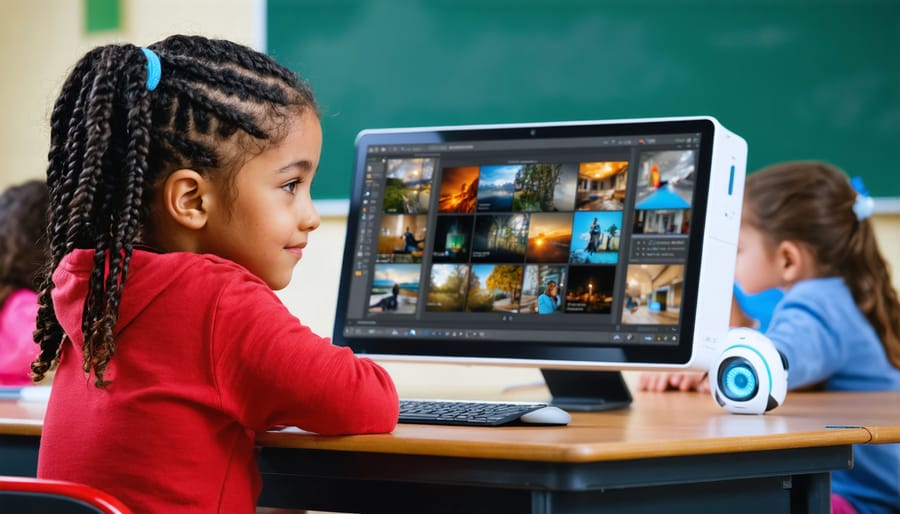
AI in the classroom isn’t about replacing you—it’s about supporting you. Throughout this article, we’ve explored practical examples of how artificial intelligence can handle time-consuming administrative tasks, provide personalized learning experiences, and help maintain engaging classroom environments. The real power of these tools lies in their ability to free you from repetitive work, giving you more time for what matters most: building meaningful relationships with your students and delivering impactful instruction.
As you consider integrating AI into your classroom management approach, remember that experimentation is key. Start small with one or two tools that address your most pressing challenges. Perhaps it’s an AI-powered attendance system that saves you five minutes each morning, or an adaptive learning platform that helps differentiate instruction. Every educator’s needs are different, and finding the right fit takes time and patience.
We encourage you to share your journey with fellow educators. What has worked well in your classroom? What challenges have you encountered? Your experiences can provide valuable insights for colleagues facing similar situations. Join our community forums to connect with other K-12 educators who are exploring AI tools, exchange practical tips, and celebrate successes together. Remember, you’re not navigating this technological shift alone—there’s an entire community ready to support and learn alongside you.