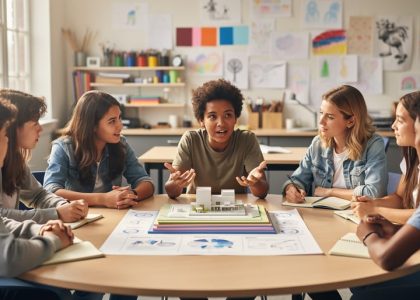
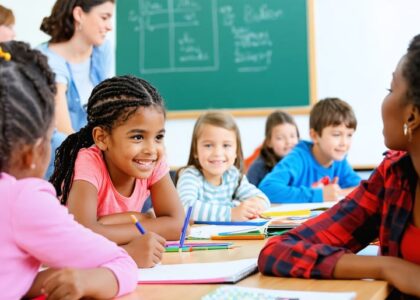
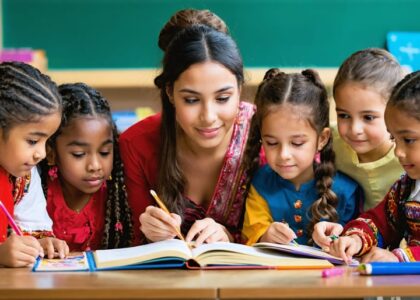
Transform your classroom into a dynamic, inclusive learning space through culturally responsive teaching principles that honor every student’s unique background and learning style. Today’s diverse classrooms demand innovative approaches that bridge cultural differences while leveraging digital tools to enhance student engagement and achievement.
The seven principles we’ll explore combine time-tested pedagogical wisdom with modern educational technology, offering practical strategies that work in both physical and virtual learning environments. These research-backed approaches have demonstrated significant improvements in student participation, academic performance, and social-emotional development across different grade levels and subject areas.
For educators ready to embrace cultural responsiveness while navigating the digital age, these principles provide a framework that’s both immediately applicable and sustainable long-term. Whether you’re new to culturally responsive practices or looking to enhance your existing approach, these guidelines will help you create an equitable learning environment where every student can thrive.
Let’s dive into the seven foundational principles that will transform your teaching practice and empower your students to achieve their full potential.
Student-Centered Learning Through Cultural Lens
Digital Tools for Cultural Expression
Modern classrooms benefit greatly from digital tools for cultural expression that enhance learning experiences for diverse student populations. Digital storytelling platforms like Adobe Spark and Storybird allow students to share their cultural narratives through multimedia presentations. Translation apps and language learning tools help bridge communication gaps and celebrate linguistic diversity. Cultural mapping tools enable students to explore and document their heritage digitally, while collaborative platforms like Padlet and Flipgrid create spaces where students can share cultural perspectives through videos, images, and text. Video conferencing tools connect classrooms globally, facilitating cultural exchange and understanding. Additionally, social media platforms, when used thoughtfully, can showcase cultural celebrations, traditions, and student achievements while building an inclusive classroom community. These tools not only support various learning styles but also empower students to express their cultural identities confidently in the digital age.

Building Inclusive Digital Learning Communities
Virtual Collaboration Strategies
Virtual collaboration tools can significantly enhance culturally responsive teaching when used thoughtfully. Start by creating digital spaces where students can share their cultural experiences through multimedia projects and interactive presentations. Platforms like Padlet and Flipgrid allow students to express themselves authentically while learning from their peers’ perspectives.
Establish clear guidelines for respectful online communication and encourage students to use translation tools when needed. Incorporate collaborative documents where students can work together across language barriers and cultural differences. Break down large group projects into smaller, culturally diverse teams to promote cross-cultural understanding and cooperation.
Make use of virtual breakout rooms for intimate discussions where students feel safer sharing their experiences. Consider implementing digital reflection journals where students can process their learning and cultural exchanges privately. Remember to provide multiple ways for students to participate, acknowledging that cultural norms around communication vary significantly.
Choose technology tools that support multiple languages and offer accessibility features to ensure all students can participate fully in virtual collaborations.
Cultural Knowledge Integration in Tech-Enhanced Lessons
Digital Storytelling Across Cultures
Digital tools offer powerful opportunities for students to share their cultural stories and experiences in meaningful ways. By incorporating multimedia storytelling platforms, students can create digital narratives that celebrate their heritage through videos, podcasts, or interactive presentations. Teachers can encourage students to interview family members, document community traditions, and share cultural celebrations using tablets or smartphones.
These digital stories can be shared within classroom communities through secure online platforms, fostering cross-cultural understanding and appreciation. Students might create virtual museums showcasing cultural artifacts, develop multilingual digital books, or craft video documentaries about their communities’ histories.
When implementing digital storytelling projects, ensure that all students have equitable access to technology and provide multiple ways to participate. This approach not only develops students’ technical skills but also validates their cultural identities while building bridges of understanding between different cultural groups in your classroom.
Culturally Responsive Assessment in Digital Environments
Alternative Digital Assessment Tools
Digital assessment tools can honor and celebrate cultural diversity while effectively measuring student progress. Consider using multimedia portfolios where students can showcase their learning through videos, podcasts, or digital storytelling that incorporates their cultural perspectives. Online survey tools like Flipgrid allow students to respond to prompts through short videos, enabling them to express themselves in ways that might better align with their cultural communication styles.
Digital choice boards and learning menus can be created using platforms like Google Slides or Padlet, allowing students to demonstrate understanding through culturally relevant projects. Translation features in assessment tools can support multilingual learners, while culturally responsive rubrics can be easily shared and modified using collaborative platforms.
Tools like Seesaw and ClassDojo enable students to document their learning journey in ways that respect their cultural background while providing valuable assessment data. Remember to select tools that are accessible to all students and offer multiple ways to demonstrate knowledge and skills.
Building Cultural Competence Through Technology
Today’s digital tools offer exciting opportunities to build cultural competence in the classroom. Virtual exchange programs enable students to connect with peers worldwide through video conferencing, fostering authentic cross-cultural relationships. Educational apps and platforms featuring diverse stories, perspectives, and cultural content help students develop global awareness while improving digital literacy.
Teachers can use social media responsibly to follow educators from different cultural backgrounds, joining professional learning communities that share culturally responsive teaching strategies. Digital storytelling tools allow students to create and share their cultural narratives, while virtual museum tours and interactive maps help explore world heritage sites and traditions.
Online translation tools facilitate communication with multilingual families, breaking down language barriers in parent-teacher interactions. Cultural simulation games and virtual reality experiences can immerse students in different cultural contexts, developing empathy and understanding.
Remember to evaluate digital resources for cultural authenticity and bias. Encourage students to think critically about cultural representations in digital media while using technology to amplify diverse voices and perspectives in your classroom.
Family and Community Tech Engagement
Building strong connections between classroom technology and students’ home lives enriches the learning experience. Create digital newsletters in multiple languages, and establish virtual office hours that accommodate diverse family schedules. Use platforms like ClassDojo or Remind to send culturally relevant updates and celebrate student achievements. Encourage families to share their cultural expertise through recorded video messages or virtual classroom visits. Set up community tech workshops where families can learn about educational tools being used in class. Consider creating a digital resource library featuring multilingual content and culturally diverse learning materials that families can access at home. Remember that not all families have equal tech access – provide alternative communication methods and resources to ensure inclusive participation. Partner with community organizations to support families who need technology assistance or internet access.
Implementing culturally responsive teaching is an ongoing journey that enriches both educators and students. By embracing these seven principles, you can create an inclusive classroom environment that celebrates diversity and promotes academic success for all learners. Start small by incorporating one principle at a time, reflect on your practice regularly, and collaborate with colleagues to share experiences and strategies. Remember, every step toward cultural responsiveness makes a meaningful difference in your students’ educational experience and future success.