Transform your classroom into a dynamic learning environment with adaptive technology that meets every student where they are. In today’s increasingly diverse educational landscape, creating tech-enabled inclusive classrooms isn’t just an option—it’s an imperative for student success.
Modern adaptive technology tools empower educators to personalize learning experiences, provide real-time feedback, and ensure every student has equal access to educational opportunities. From text-to-speech software that supports struggling readers to AI-powered learning platforms that adjust to individual learning speeds, these innovations are revolutionizing how we approach differentiated instruction.
Research shows that classrooms implementing adaptive technology see up to 30% improvement in student engagement and achievement across diverse learning needs. By integrating these tools thoughtfully, educators can create an environment where students with different abilities, learning styles, and backgrounds can thrive together.
This guide explores practical strategies for implementing adaptive technology effectively, ensuring every student has the support they need to reach their full potential. Whether you’re new to educational technology or looking to enhance your existing digital toolkit, you’ll find actionable solutions to create a more inclusive and effective learning environment.
Breaking Language Barriers with Adaptive Tech
Real-Time Translation Tools
Real-time translation tools have revolutionized how educators support linguistically diverse learners in today’s multicultural classrooms. These accessible technologies help break down language barriers and create more inclusive learning environments where every student can participate fully.
Popular translation tools like Google Translate, Microsoft Translator, and Speak & Translate offer immediate translation capabilities that teachers can integrate seamlessly into daily lessons. For instance, teachers can use these tools to translate assignment instructions, learning materials, and classroom announcements in real-time, ensuring all students have access to critical information in their preferred language.
Many of these tools now feature conversation modes, allowing for natural dialogue between students and teachers who speak different languages. This feature proves particularly valuable during parent-teacher conferences, group work, and class discussions. Some applications even provide simultaneous translation for multiple languages at once, supporting diverse classroom demographics.
To implement these tools effectively:
– Install translation apps on classroom devices
– Create quick-access shortcuts for commonly used language pairs
– Train students on proper tool usage
– Use translation tools alongside visual aids
– Encourage peer support and language exchange
While translation tools aren’t perfect, they serve as valuable bridges for communication and understanding. They help create an environment where language differences become learning opportunities rather than barriers to education. Remember to validate translations with native speakers when possible and use these tools as supplements to, not replacements for, language learning support.

Multilingual Learning Platforms
Modern classrooms increasingly reflect our global society, making it essential to empower multilingual students through adaptive technology. Today’s learning platforms offer sophisticated language support features that make content accessible to students from diverse linguistic backgrounds.
Popular platforms like Duolingo for Schools and Rosetta Stone Classroom provide customizable learning paths that adjust to each student’s language proficiency level. These tools use artificial intelligence to detect areas where students need additional support and automatically modify lesson difficulty and pacing accordingly.
Many learning management systems now include built-in translation features and multilingual content delivery options. For example, Google Classroom supports over 100 languages and allows students to toggle between their native language and the target language of instruction. This feature helps students build confidence while gradually transitioning to full immersion in the target language.
Voice recognition technology has also revolutionized language learning, allowing students to practice pronunciation and receive immediate feedback. Platforms like ReadSpeaker and TextHelp offer text-to-speech capabilities in multiple languages, supporting both reading comprehension and proper pronunciation.
For educators, these platforms provide detailed analytics on student progress across languages, making it easier to identify areas where additional support may be needed. This data-driven approach ensures that language differences don’t become barriers to academic success.
Cultural Responsiveness Through Technology

Customizable Content Delivery
In today’s diverse classrooms, culturally responsive technology integration is essential for creating an inclusive learning environment. Digital content can and should be tailored to reflect the varied backgrounds and experiences of all students.
Start by conducting a cultural audit of your existing digital materials. Review text, images, and examples to ensure they represent diverse perspectives and experiences. Many learning management systems now offer customization options that allow you to modify content based on students’ cultural contexts and learning preferences.
Consider these practical strategies for customizing content delivery:
• Use translation tools and multilingual resources to support English language learners
• Incorporate diverse imagery and examples that reflect your student population
• Select digital materials that feature various cultural viewpoints and historical perspectives
• Allow students to choose how they engage with content (text, audio, or visual formats)
• Create assignments that enable students to share their cultural experiences and knowledge
Digital content platforms often include built-in features for personalization. Take advantage of these tools to:
• Adjust reading levels while maintaining content integrity
• Provide alternative text descriptions that are culturally relevant
• Offer multiple ways to demonstrate learning and understanding
• Include closed captions and transcripts in students’ preferred languages
Remember to regularly gather feedback from students and families about content accessibility and cultural relevance. This ongoing dialogue helps ensure that digital materials remain meaningful and engaging for all learners while supporting academic success across diverse student populations.
Partner with colleagues to share resources and strategies for content customization, creating a collaborative approach to inclusive digital learning. This collective effort strengthens the overall impact of adaptive technology in supporting all students’ learning journeys.
Inclusive Assessment Tools
Modern inclusive assessment tools leverage technology to ensure fair evaluation of all students, regardless of their cultural background or learning differences. These digital solutions help educators create and deliver assessments that accommodate diverse learning styles and cultural perspectives.
Text-to-speech and speech-to-text capabilities allow students to demonstrate their knowledge in ways that best suit their abilities. For example, students can verbally explain concepts or have assessment questions read aloud, removing potential language barriers while maintaining academic rigor.
Culturally responsive digital assessment platforms now incorporate multiple representation options, allowing students to showcase their understanding through various formats, including visual presentations, audio recordings, or traditional written responses. This flexibility ensures that students from different cultural backgrounds can express their knowledge in familiar and comfortable ways.
Many assessment tools now feature built-in translation support, enabling multilingual learners to access content in their preferred language while developing English proficiency. Additionally, these platforms often include customizable interfaces that can be adjusted for different cultural contexts and learning preferences.
Real-time analytics help teachers identify and address potential cultural bias in assessments. These tools can track performance patterns across different student groups, helping educators refine their assessment strategies to ensure fairness and accessibility for all learners.
To implement inclusive assessment effectively, educators should:
– Select tools that offer multiple modes of expression
– Provide clear instructions in accessible language
– Allow flexible timing when appropriate
– Incorporate culturally relevant examples and contexts
– Regular review and adjust assessment methods based on student feedback and performance data
Remember that technology should enhance, not replace, thoughtful assessment design that considers the diverse needs of all learners.
Accessibility Features for Diverse Learners
Text-to-Speech and Speech-to-Text Tools
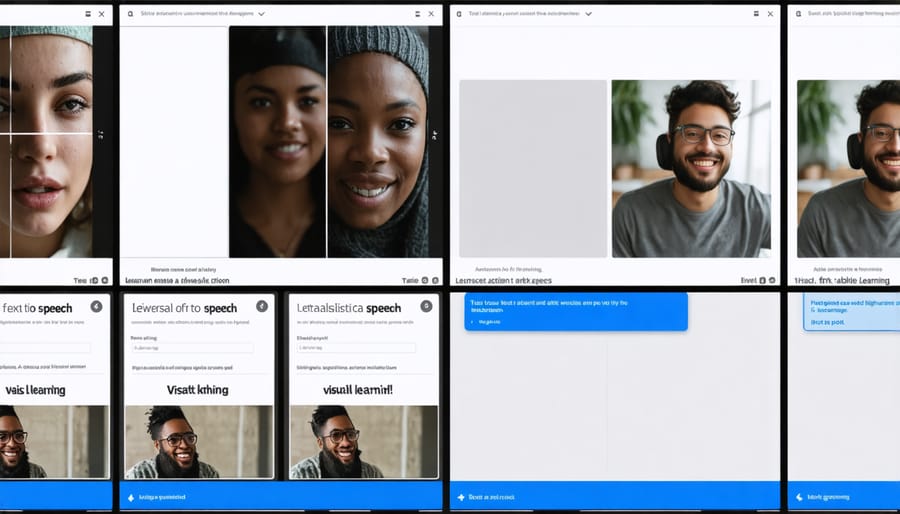
Text-to-speech (TTS) and speech-to-text (STT) tools have revolutionized how we support language diversity in today’s multicultural classrooms. These technologies help bridge communication gaps and create more inclusive learning environments for students from various linguistic backgrounds.
For English language learners, TTS tools can provide pronunciation models and help them understand written content by hearing it read aloud. Students can adjust speaking speeds and choose from different accents, making learning more accessible and culturally relevant. Popular options like Microsoft Immersive Reader and Google Read&Write offer multilingual support, allowing students to hear content in their native language while learning English.
Speech-to-text capabilities enable students to express their ideas verbally and see them converted to written text, which is particularly valuable for those still developing their writing skills in English. This technology also supports students who may be more comfortable speaking in their native language, as many modern STT tools can transcribe and translate simultaneously.
Teachers can implement these tools through:
– Reading assignments with audio support
– Writing exercises where students dictate their responses
– Multilingual vocabulary practice
– Note-taking assistance during lectures
– Self-paced learning activities
When selecting these tools, consider options that support multiple languages, offer clear pronunciation, and maintain cultural sensitivity in their voice choices. Regular assessment of tool effectiveness and student comfort levels ensures these technologies truly serve your classroom’s diverse needs.
Visual Learning Supports
Visual learning supports have become increasingly sophisticated and accessible, offering diverse students multiple ways to engage with educational content. Digital visualization tools like mind mapping software and interactive diagrams help students organize information in ways that make sense to them, regardless of their learning style or cultural background.
Screen readers with built-in highlighting features allow students to follow along with text while hearing it read aloud, reinforcing both visual and auditory learning pathways. For multilingual learners, these tools often include translation capabilities, making content more accessible while maintaining visual connections to the original text.
Interactive whiteboards and tablet applications enable students to manipulate visual elements, create their own graphic organizers, and participate in collaborative visual learning activities. These tools are particularly effective when incorporating culturally relevant images and examples that reflect the diverse experiences of your classroom community.
Video captioning and visual scheduling tools support students who benefit from seeing information presented sequentially. Many of these tools allow for customization of colors, fonts, and layout to accommodate different visual preferences and needs.
For students with visual processing challenges, adjustable contrast settings and text-to-symbol converters can transform written content into more accessible visual formats. Additionally, virtual reality and augmented reality applications provide immersive visual experiences that can help students better understand complex concepts through three-dimensional representation.
Implementation Strategies for Success
Successfully implementing adaptive technology requires a thoughtful, step-by-step approach that considers all students’ needs. Start by conducting a needs assessment of your classroom, identifying specific learning challenges and cultural considerations that technology could help address.
Create a flexible implementation plan that allows for gradual integration. Begin with one or two adaptive tools and master them before adding more. This approach prevents overwhelming both teachers and students while ensuring proper utilization of each tool.
Establish clear communication channels with students’ families to understand their technology access at home and any cultural perspectives on technology use. This understanding helps in selecting tools that will be both effective and culturally appropriate.
Build a support network within your school community. Partner with IT specialists, special education teachers, and colleagues who have experience with adaptive technology. Regular collaboration ensures consistent support and shared learning experiences.
Consider these practical steps for successful implementation:
1. Schedule regular training sessions for both students and teaching assistants
2. Create visual guides in multiple languages when necessary
3. Develop backup plans for technology failures
4. Monitor and document student progress with the tools
5. Maintain ongoing dialogue with students about their experience
Remember to regularly assess the effectiveness of implemented technologies. Collect feedback from students, parents, and other teachers to make necessary adjustments. Success often comes from being flexible and responsive to your classroom’s unique needs.
Cultural sensitivity is crucial when selecting and implementing adaptive technologies. Choose tools that offer multiple language options, diverse representation in content, and customizable interfaces to accommodate different cultural preferences and learning styles.
Finally, celebrate small victories and share success stories with your school community. This positive reinforcement encourages continued engagement and helps build a supportive, technology-embracing classroom culture.
As we’ve explored throughout this article, adaptive technology has become an indispensable tool in creating inclusive, engaging, and effective learning environments. By implementing these technologies thoughtfully, educators can better support students with diverse learning needs, abilities, and backgrounds, ensuring that every student has the opportunity to succeed.
The journey to integrating adaptive technology may seem challenging at first, but remember that you don’t have to transform your classroom overnight. Start small, perhaps with one or two tools that address your students’ most pressing needs, and gradually expand your technological toolkit as you and your students grow more comfortable with these resources.
The benefits of embracing adaptive technology extend far beyond academic achievement. We’ve seen how these tools can boost student confidence, encourage independence, and foster a more collaborative learning environment. Moreover, the skills students develop while using adaptive technology will serve them well in their future academic and professional endeavors.
As you move forward, stay connected with your professional learning community, share your experiences, and continue learning from colleagues who are on similar journeys. Remember that every step you take toward implementing adaptive technology is a step toward creating a more inclusive and equitable education system for all students.
Your commitment to exploring and implementing adaptive technology makes a real difference in students’ lives. Together, we can create classrooms where every student has the tools they need to thrive.