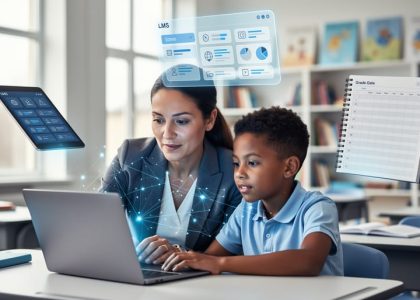
Technology integration transforms traditional classrooms into dynamic learning hubs where students actively create, collaborate, and think critically. Today’s educators stand at a pivotal intersection where digital tools not only enhance instruction but fundamentally reshape how students engage with course material. By thoughtfully incorporating technology, teachers can personalize learning experiences, bridge achievement gaps, and prepare students for an increasingly digital future.
Modern classrooms demand more than simply adding devices – they require strategic implementation that serves clear pedagogical goals. From interactive whiteboards that facilitate group discussions to learning management systems that track individual progress, technology offers unprecedented opportunities to meet diverse learning needs. The key lies in selecting and implementing digital tools that align with curriculum objectives while fostering an inclusive, engaging learning environment.
This shift to technology-enhanced learning reflects broader changes in how students access and process information. When implemented effectively, classroom technology doesn’t replace traditional teaching methods – it amplifies them, creating rich, multimodal learning experiences that resonate with digital natives. Success depends on balancing innovation with proven educational principles, ensuring that technology serves as a powerful tool for learning rather than a distraction from it.

Building Your Digital Classroom Foundation
Core Learning Platforms That Welcome Everyone
Creating an inclusive digital learning environment starts with selecting the right platforms that accommodate all learners. When choosing learning management systems (LMS) and essential tech tools for teachers, accessibility should be a top priority.
Google Classroom and Canvas stand out as user-friendly platforms that offer built-in accessibility features like screen reader compatibility, keyboard navigation, and language support. These systems allow teachers to easily differentiate instruction and provide multiple ways for students to engage with content.
Consider implementing basic digital tools that support universal design for learning (UDL) principles. Tools like Microsoft’s Immersive Reader and Google’s Read&Write help students with different learning needs access content independently. Video platforms like Edpuzzle and Screencastify include closed captioning features and playback speed controls, ensuring that multimedia content is accessible to all students.
Remember to start small and gradually expand your digital toolkit. Focus on mastering one or two platforms before introducing new ones. This approach helps both teachers and students build confidence with technology while maintaining an inclusive learning environment. Regular feedback from students about their experience with these platforms can guide improvements and ensure that no learner is left behind in the digital classroom experience.
Assistive Technologies That Make a Difference
Modern assistive technologies have revolutionized the way we support students with diverse learning needs, creating more inclusive and accessible classroom environments. Text-to-speech tools help students who struggle with reading by converting written content into clear audio, while speech-to-text technology enables those with writing difficulties to express their ideas more effectively.
For students with visual impairments, screen readers and magnification software make digital content more accessible. These tools can be easily integrated into daily lessons, allowing students to participate fully in classroom activities. Many devices now come with built-in accessibility features, such as high-contrast displays and adjustable font sizes, which benefit all learners.
Students with motor skill challenges can utilize adaptive keyboards, specialized mice, and switch devices to interact with digital content more comfortably. For those with attention or organizational challenges, tools like digital planners and focus-assistance apps help maintain engagement and track assignments effectively.
Remember that successful implementation of assistive technology requires ongoing assessment and adjustment. Start with one or two tools, gather feedback from students, and gradually expand your toolkit. Many of these technologies benefit all students, not just those with specific needs, creating a more inclusive learning environment where every student can succeed.
Consider partnering with your school’s special education team to identify the most appropriate tools for your students and develop effective implementation strategies. Many of these technologies are either free or available through school district resources.
Making Technology Work for Every Student
Differentiation Through Digital Tools
Digital tools offer powerful opportunities for differentiated instruction with technology, allowing teachers to meet diverse learning needs effectively. By leveraging various digital platforms, educators can create multiple pathways for students to engage with content, demonstrate understanding, and achieve learning objectives.
Interactive learning platforms like Nearpod and Pear Deck enable students to progress at their own pace while providing real-time feedback. Visual learners benefit from tools like Canva and Mind Meister for creative expression and concept mapping, while auditory learners can utilize text-to-speech features and educational podcasts. Kinesthetic learners engage through interactive simulations and virtual manipulatives.
To accommodate different ability levels, adaptive learning software automatically adjusts difficulty based on student performance. Programs like IXL and DreamBox create personalized learning paths, ensuring students are appropriately challenged while building confidence. For English language learners, translation tools and visual supports can be integrated seamlessly into daily lessons.
Digital portfolios and choice boards give students agency in demonstrating their understanding through various formats – whether through video presentations, digital art, or written assignments. This flexibility not only caters to different learning preferences but also builds essential digital literacy skills.
Remember to regularly collect student feedback about their preferred digital tools and adjust accordingly. This ensures that technology truly serves its purpose in creating an inclusive, engaging learning environment where every student can succeed.

Supporting Students with Learning Challenges
Technology offers powerful tools to support students with diverse learning needs, making education more accessible and engaging for all learners. Adaptive learning technology plays a crucial role in personalizing instruction for students with learning challenges, automatically adjusting difficulty levels and providing immediate feedback.
Text-to-speech tools help students with reading difficulties access written content independently, while speech-to-text applications support those who struggle with writing. These tools can boost confidence and participation in classroom activities. Visual learning aids, such as mind mapping software and interactive diagrams, help students organize information and understand complex concepts.
For students with attention difficulties, focus-assistance apps provide timers, reminders, and structured work periods. Digital organizational tools help manage assignments and deadlines effectively. Screen readers and magnification software ensure visually impaired students can access digital content comfortably.
Collaborative platforms enable peer support while maintaining individual accommodations, creating an inclusive learning environment where students can work together at their own pace. Many of these tools include built-in progress monitoring features, allowing teachers to track student growth and adjust support strategies as needed.
Remember to maintain open communication with students and families about which tools work best, and regularly assess the effectiveness of implemented technologies to ensure they truly support learning goals.
Engaging Advanced Learners
Advanced learners require unique technological approaches to maintain engagement and foster continuous growth. Project-based learning platforms like GitHub Education and Scratch enable high-achieving students to work on complex coding projects at their own pace. These students can create interactive simulations, develop educational games, or build websites that demonstrate their understanding of curriculum concepts.
Consider implementing flipped classroom techniques using tools like Edpuzzle or Pear Deck, allowing advanced learners to explore content independently before class. This approach frees up classroom time for deeper discussions and challenging applications. Digital creation tools such as Adobe Creative Cloud or Canva empower these students to express their learning through sophisticated multimedia presentations.
Encourage participation in online academic competitions and virtual science fairs through platforms like Google Science Fair or Khan Academy’s programming contests. These opportunities provide the intellectual challenge that advanced learners crave while developing their technological competencies.
Collaborative tools like Microsoft Teams or Google Workspace enable high-achieving students to mentor peers and lead virtual study groups. This not only challenges them academically but also develops leadership skills. Consider incorporating artificial intelligence tools for personalized learning paths that automatically adjust to provide increasingly complex challenges based on student performance.
Create technology-rich extension activities that connect curriculum content to real-world applications through virtual field trips, expert interviews, or global collaboration projects. These experiences help maintain engagement while pushing advanced learners beyond standard expectations.
Measuring Success and Making Adjustments
Tracking Student Progress Effectively
Modern technology offers powerful tools for tracking student progress in real-time, allowing educators to make data-driven decisions and provide timely support. Digital learning management systems (LMS) enable teachers to monitor individual student performance through automated assessments, participation metrics, and progress reports.
Interactive assessment tools like Kahoot!, Quizizz, and Google Forms provide instant feedback, helping teachers identify knowledge gaps and adjust instruction accordingly. These platforms often include analytics features that visualize student progress over time, making it easier to spot trends and patterns in learning.
Digital portfolios and project management tools allow students to showcase their work while giving teachers insight into the learning process. Tools like Seesaw and ClassDojo enable students to document their progress through photos, videos, and written reflections, creating a comprehensive record of their learning journey.
Automated grading systems save time and provide consistent feedback, while learning analytics help identify students who may need additional support before they fall behind. Many platforms also offer parent portals, fostering communication between home and school about student achievement.
Remember to regularly review and analyze the collected data to inform instructional decisions. Set clear benchmarks and celebrate progress, using technology to create visual representations of achievement that motivate students and demonstrate growth over time.

Adapting Your Tech Strategy
Adapting your technology integration strategy requires continuous monitoring and adjustment based on student performance and engagement. Start by establishing clear metrics for success, including both academic outcomes and student participation levels. Regular check-ins through student surveys, performance data, and classroom observations can provide valuable insights into what’s working and what needs adjustment.
Create feedback loops by implementing quick assessment tools like exit tickets or digital polls after tech-enhanced lessons. Pay attention to patterns in student engagement and achievement across different tools and methods. Are certain applications consistently generating better results? Are some students struggling with particular platforms?
When you notice areas for improvement, make incremental changes rather than wholesale modifications. This might mean adjusting the pace of technology integration, providing additional support for struggling students, or incorporating alternative tools that better meet your classroom’s needs.
Remember to document both successes and challenges. What works in one classroom may need adjustment in another, so maintain flexibility in your approach. Consider creating a simple tracking system to monitor which tech tools and strategies are most effective for different learning objectives and student groups.
Most importantly, involve your students in the evaluation process. Their feedback is invaluable in understanding how technology enhances or potentially hinders their learning experience. Regular discussions about their tech experiences can lead to more effective and inclusive digital learning environments.
Building a Tech-Savvy, Inclusive Community
Parent and Student Engagement
Successful technology integration requires active participation from both parents and students. Creating a partnership between home and school environments can significantly boost student engagement and learning outcomes. Start by hosting family technology nights where parents can experience firsthand the digital tools their children use in class. Send regular newsletters highlighting classroom technology initiatives and provide simple tutorials for parents to support learning at home.
Encourage two-way communication through digital platforms like classroom apps or online portals where parents can track assignments and progress. Consider creating a resource library with video guides and tip sheets that families can access anytime. For students, implement peer mentoring programs where tech-savvy learners can help their classmates navigate new tools.
Make technology choices transparent by sharing the educational benefits of specific apps and platforms. Collect feedback through surveys and adjust integration strategies based on family input. Remember to provide alternatives for families with limited tech access, ensuring equity remains at the forefront of your digital initiative.
Professional Learning Networks
Professional Learning Networks (PLNs) offer invaluable support for educators navigating technology integration. By connecting with fellow teachers through platforms like Twitter chats, LinkedIn groups, and educational forums, you can share experiences, exchange resources, and discover innovative teaching strategies. Popular hashtags like #edtech and #teachertech can help you find and join relevant discussions.
Consider joining online communities such as Edmodo’s teacher groups or the ISTE Community, where educators worldwide collaborate and share their technology integration successes and challenges. These platforms provide opportunities to pose questions, seek advice, and learn from others’ experiences in similar teaching contexts.
Virtual conferences and webinars also enhance your PLN by connecting you with experts and peers. Many of these events offer free or low-cost participation options, making professional development accessible to all educators. Remember to contribute to these networks by sharing your own experiences and resources – successful technology integration often stems from collaborative learning and mutual support.
Don’t forget to engage with local educator networks through district-level tech integration teams or regional education service centers, as they can provide context-specific support and resources.
Technology integration in the classroom is an ongoing journey that requires commitment, flexibility, and continuous learning. By focusing on student-centered approaches, choosing appropriate digital tools, and maintaining clear learning objectives, educators can create engaging and inclusive learning environments. Remember that successful implementation doesn’t happen overnight – start with small, manageable steps and gradually expand your digital toolkit as comfort levels increase. Join professional learning communities, participate in technology workshops, and stay connected with fellow educators to share experiences and best practices. Most importantly, remain adaptable and open to feedback from both students and colleagues. As you move forward, regularly assess the impact of technology integration on student engagement and learning outcomes, making adjustments as needed. Together, we can transform our classrooms into dynamic spaces where technology enhances teaching and learning for all students.