You don’t need a computer science degree to create educational games that transform your classroom. Game development for educators has evolved from complex coding projects into accessible platforms where you can build interactive learning experiences in hours, not months. Teachers worldwide are discovering that creating simple games—whether digital quizzes, choice-based narratives, or puzzle challenges—enhances their ability to differentiate instruction, boost student engagement, and address diverse learning needs in ways traditional methods cannot match.
Start with drag-and-drop platforms like Scratch, Google Slides with interactive elements, or free game creation tools such as Kahoot and Blooket that require zero programming knowledge. These entry points let you focus on instructional design rather than technical barriers, building confidence as you create games aligned to your specific curriculum standards and student needs.
Consider game development as a professional growth opportunity that strengthens your digital literacy, creative problem-solving, and understanding of motivation psychology. As you design game mechanics around your learning objectives, you’ll naturally deepen your pedagogical expertise while creating reusable resources that save preparation time in future years.
The journey from consumer to creator doesn’t happen overnight, but each small project—a vocabulary matching game, a historical decision simulator, or a math challenge sequence—builds both your skill set and your students’ enthusiasm for learning. Your classroom becomes a space where content mastery meets creative exploration, with you guiding both the curriculum and the game design process.
What Educational Game Development Actually Means for Teachers
From Player to Designer: Shifting Your Mindset
Making the shift from playing games to designing them requires a fundamental change in how you observe and think about interactive experiences. When you’re a player, you’re immersed in the experience. As a designer, you step back to ask: What makes this engaging? How does the feedback loop work? Why did I want to keep playing?
Start by analyzing games you already use in your classroom. Notice the mechanics that keep students motivated—is it points, progress bars, or unlocking new content? Understanding the difference between game-based learning vs. gamification helps you identify which elements truly serve learning goals versus simply adding motivational layers.
This mindset shift doesn’t mean becoming a programmer overnight. Instead, focus on educational architecture: how information flows, when challenges appear, and how success is rewarded. Think of yourself as an experience designer who happens to use game mechanics as tools.
The good news? You already possess core design skills from lesson planning. You understand scaffolding, differentiation, and assessment—these translate directly into game design. You’re simply reframing familiar pedagogical practices through an interactive lens. Every lesson you’ve designed involved progression, challenge, and feedback. Game development applies these same principles in a different format, making this transition more natural than you might expect.
The Skills You Already Have
You’re already a game designer—you just haven’t called it that yet. Every time you create a lesson plan, you’re designing an experience with clear objectives, progressive challenges, and milestones for success. When you differentiate instruction, you’re essentially building multiple difficulty levels to meet learners where they are. Sound familiar? That’s game design thinking in action.
The engagement strategies you use daily translate directly into game mechanics. Consider how you use rewards, feedback, and choice in your classroom. These are the same principles that make games compelling. When you create a hands-on activity that lets students explore concepts through trial and error, you’re designing the kind of learning loop that drives educational games.
Your ability to break complex topics into manageable chunks mirrors how game developers create level progressions. The formative assessments you use to check understanding? Those are feedback systems that help players know they’re on the right track. Even your classroom management skills—balancing structure with creativity, maintaining motivation through challenges—these are the soft skills that separate mediocre games from truly engaging learning experiences.
The transition to game development isn’t about learning an entirely new skillset. It’s about recognizing the design thinking you already practice and applying it in a new format.
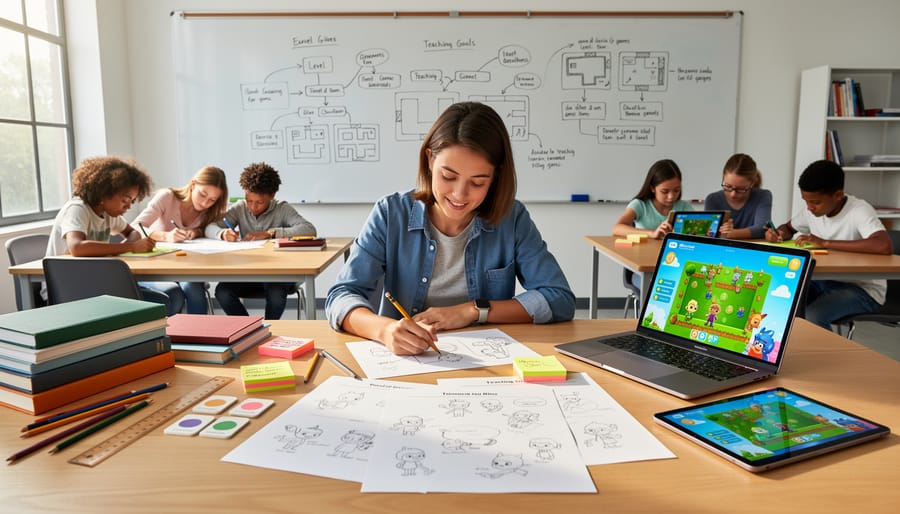
Building Your Game-Based Pedagogy Foundation
Understanding Game Mechanics That Drive Learning
Great educational games aren’t just fun—they’re carefully designed to support learning through specific mechanics that keep students engaged and progressing. Understanding these mechanics helps you recognize quality educational games and even design simple ones yourself.
Feedback loops are perhaps the most powerful learning tool in games. When students receive immediate responses to their actions—whether it’s a correct answer chime, a character jumping successfully, or a puzzle piece fitting into place—they learn what works and what doesn’t in real time. This instant feedback helps them adjust their thinking without waiting for teacher review or test results. The best educational games provide specific, constructive feedback rather than just “right” or “wrong” signals.
Progression systems tap into natural motivation by showing visible growth. Experience points, unlocked levels, or skill badges give students tangible proof of their advancement. These systems work because they break large learning goals into manageable chunks, making progress feel achievable. You’ve likely seen this in game-based learning examples where students eagerly work toward the next level.
Challenge levels matter tremendously for maintaining engagement. Educational games should adapt difficulty to keep students in what researchers call the “flow zone”—not so easy that they’re bored, not so hard that they’re frustrated. This balancing act mirrors good teaching practice: meeting students where they are and gradually increasing complexity.
When you understand these mechanics, you can evaluate educational games more critically and incorporate similar principles into your non-digital lessons, creating engaging learning experiences across your curriculum.
Aligning Games with Curriculum Standards
The good news is that integrating curriculum standards into educational games doesn’t require you to start from scratch. Begin by identifying the specific learning objectives you need to address in your classroom. Most game development platforms designed for educators include features that let you tag content to state or national standards like Common Core or NGSS.
When designing your game, map each game mechanic or challenge directly to a learning goal. For example, if you’re teaching fraction concepts in math, create puzzle-solving tasks that require students to compare and manipulate fractions to progress. This ensures every moment of gameplay reinforces academic content rather than serving as mere entertainment.
Consider using backward design principles. Start with your assessment goals and work backward to create game scenarios that naturally lead students toward demonstrating that knowledge. Many educators find success by collaborating with colleagues through community forums to share how they’ve aligned specific games with standards in their subject areas.
Documentation is your friend here. Keep a simple chart showing which game elements address which standards. This not only helps during lesson planning but also provides evidence for administrators that game-based learning delivers measurable educational value. Interactive tools available through many educational game platforms can automatically generate these alignment reports, saving you valuable time.
Assessment Through Play
Educational games offer unique opportunities to understand student learning in real-time without the pressure of traditional testing. When you embed assessment through play, students demonstrate their knowledge naturally through gameplay choices and problem-solving strategies.
Start by identifying specific learning objectives your game will address. Design challenges that require students to apply these concepts, allowing their responses to reveal understanding. For example, a math game might track not just correct answers but also solution strategies students choose, giving you insight into their thinking processes.
Built-in analytics can capture valuable data like time spent on tasks, attempts before success, and common error patterns. This formative feedback helps you adjust instruction while students are still engaged. Consider creating checkpoints or level completions that serve as summative assessments, showing mastery without feeling like tests.
The key is making assessment invisible to students while keeping it visible to you. When learning feels like play, students reveal their true capabilities without test anxiety interfering with their performance.
Starting Small: Low-Tech Game Development for Your Classroom
Paper Prototyping Your First Learning Game
Before investing time in digital development, paper prototyping offers a low-risk, high-reward approach to testing your educational game concepts. This hands-on method lets you experiment with game mechanics, identify potential problems, and refine your ideas using simple materials you already have in your classroom.
Start by identifying a specific learning objective from your current curriculum. Perhaps you want students to master multiplication facts or understand the water cycle. Write this objective at the top of your planning sheet as your north star. Next, choose a basic game structure that aligns with your goal. Simple formats work best: board games with question spaces, card matching activities, or quiz-style challenges similar to class review games you might already use.
Gather basic supplies like index cards, poster board, markers, and dice. Sketch your game board or card layouts roughly—perfection isn’t the goal here. Write sample questions or challenges directly on cards or spaces. Don’t worry about artwork; focus on functionality and learning flow.
Now comes the crucial part: playtest with a small group of students during a free period or after school. Watch how they interact with your prototype. Do they understand the rules? Are they engaged? Is the learning objective being reinforced? Take notes on confusion points and pacing issues.
Based on feedback, revise your prototype. This might mean simplifying rules, adjusting difficulty levels, or changing the reward structure. Remember, even professional game designers iterate multiple times before finalizing concepts.

Collaborative Game Design with Students
Inviting students into the game design process transforms them from passive consumers to active creators, deepening their engagement and learning outcomes. When you involve learners in building educational games, you’re not just teaching content—you’re developing critical thinking, problem-solving, and collaboration skills that extend far beyond any single lesson.
Start by framing game development as a collaborative project where student voice matters. Ask your learners what makes games fun and educational. What challenges do they want to explore? What stories do they want to tell? This initial brainstorming session validates their perspectives and generates genuine investment in the project.
You don’t need advanced technical skills to begin. Simple tools like Scratch, Google Slides, or even paper prototypes allow students to design game mechanics, create characters, and build narratives. Assign different roles—some students might focus on storytelling, others on visual design, and some on testing gameplay. This division of labor mirrors real-world collaborative work while ensuring everyone contributes meaningfully.
Consider using community forums where students can share their game prototypes with peers from other classrooms, gathering feedback and celebrating their creativity. These platforms foster a sense of authentic audience and purpose beyond the classroom walls.
The beauty of student-centered game design lies in its flexibility. Whether you’re teaching math concepts, historical events, or social-emotional learning, students can embed these elements into their games organically. They become both learners and teachers, reinforcing their understanding while creating something genuinely engaging for their peers.
Digital Tools That Make Game Development Manageable
No-Code Platforms for Busy Teachers
Good news: you don’t need to be a programmer to create engaging educational games for your classroom. Several game-based learning platforms offer intuitive, no-code solutions that let you design interactive learning experiences in minutes rather than hours.
Kahoot Creator stands out for its simplicity and student engagement. You can build quiz-style games with multiple-choice questions, add images or videos, and watch your students compete in real-time. The platform works beautifully for review sessions and formative assessments across all grade levels.
Blooket takes a different approach by wrapping your question sets in various game modes like Tower Defense or Gold Quest. This variety keeps students motivated, and you can reuse the same content across multiple game formats. Teachers particularly appreciate how it combines learning objectives with genuinely fun gameplay.
Gimkit empowers students to earn virtual currency by answering questions correctly, then use those earnings strategically within the game. Created by a high school student, it resonates well with learners who enjoy strategic thinking alongside content review.
Quizizz offers flexible pacing options, allowing students to work through games at their own speed while still maintaining engagement through memes and playful feedback. It’s excellent for homework assignments or independent practice.
Each platform includes free tiers with robust features, making them accessible regardless of your school’s budget. Start with one platform, experiment with a single lesson, and expand from there as you grow comfortable with the tools.

When to Level Up Your Tools
You’ll know it’s time to explore more advanced tools when you find yourself repeatedly working around limitations or spending more time on workarounds than actual creation. Common signs include wanting to add features your current platform doesn’t support, feeling confident with basic game mechanics, or receiving enthusiastic feedback from students that inspires bigger ideas.
The transition doesn’t need to happen all at once. Consider running dual platforms temporarily, using your familiar tool for classroom-ready games while experimenting with more advanced options during planning periods or summer breaks. Many educators find success by focusing on one new skill at a time rather than switching platforms entirely.
Start by identifying what specific feature you need next. If it’s better animation, look for tools with enhanced visual capabilities. If you want multiplayer options, research platforms built for collaboration. This targeted approach prevents overwhelm and keeps your learning purposeful.
Remember that moving to advanced tools is always optional. Some educators create impactful games using beginner platforms for years because those tools perfectly serve their needs. Professional growth in game development looks different for everyone, and staying with accessible platforms while deepening your pedagogical approach is equally valuable. Let your teaching goals and student needs guide your decisions, not external pressure to constantly upgrade.
Professional Development Pathways for Game-Based Teaching
Finding Your Learning Community
You don’t have to navigate this journey alone. Connecting with fellow educators who are exploring game-based learning can provide invaluable support, inspiration, and practical solutions to common challenges.
Start by exploring online communities dedicated to educational technology and game-based learning. Twitter hashtags like #EdTech, #GameBasedLearning, and #TeacherGameDev can help you discover educators sharing their experiences and resources. Facebook groups such as “Teachers Using Games” and “Gamification in Education” offer spaces to ask questions, share successes, and troubleshoot issues with peers who understand your classroom context.
Professional networks provide more structured learning opportunities. Organizations like ISTE (International Society for Technology in Education) host special interest groups focused on games and simulations. Many offer webinars, virtual meetups, and annual conferences where you can connect face-to-face with like-minded educators.
Don’t overlook local connections either. Check if your district or regional education service center offers game-based learning workshops or professional learning communities. Starting a monthly meetup with colleagues interested in exploring educational games can create accountability and shared learning right in your school building.
Remember, these communities welcome beginners. Everyone started exactly where you are now, and experienced educators consistently report that connecting with others transformed their confidence and capability in developing educational games.

Structured Learning Opportunities
Building your game development skills doesn’t require going back to school or mastering complex programming languages. Numerous structured learning opportunities are designed specifically for educators like you, meeting you where you are and fitting into your busy schedule.
Online platforms such as Coursera, EdX, and Codecademy offer beginner-friendly courses in game design and development, many of which require no prior technical experience. These courses typically span 4-8 weeks and allow you to learn at your own pace. Look for programs that emphasize educational game design rather than commercial game development, as these align more closely with classroom needs.
Professional development workshops through your district or educational technology conferences provide hands-on experience with tools like Scratch, Tynker, or GameMaker. These sessions often include fellow educators, creating immediate peer support networks and sharing opportunities.
For those seeking formal recognition, micro-credentials and digital badges in game-based learning are increasingly available through organizations like ISTE and various universities. These certifications validate your expertise and can count toward professional development requirements.
Many platforms also host regular webinars featuring educators who’ve successfully integrated game development into their classrooms. These sessions offer practical insights, troubleshooting tips, and inspiration from teachers who understand your daily challenges. Start with free resources to explore your interest before committing to paid programs.
Building a Portfolio of Practice
As you develop games with your students, create a simple portfolio that captures your journey and impact. Start by taking screenshots of your games at different stages—this visual timeline shows both your technical growth and evolving design thinking. Document student reactions, engagement levels, and learning outcomes through photos, short videos, or written reflections. When students successfully apply a math concept through a game they created, that’s portfolio-worthy evidence of meaningful learning.
Share your documentation in your school’s professional learning community or online educator forums where others are exploring game-based learning. Your experiences, including challenges you overcame, provide valuable insights for colleagues considering similar projects. Consider organizing your portfolio by skill development, student outcomes, or curriculum connections to make it useful for performance reviews or future job applications.
Many educators find that maintaining a simple blog or shared folder makes documentation manageable. Focus on quality over quantity—three well-documented projects with clear learning outcomes demonstrate more growth than dozens of undocumented attempts. Your portfolio becomes both a personal reflection tool and a resource for the broader educational community.
Overcoming Common Obstacles
Time Management Strategies
Start small and celebrate each step forward. You don’t need to become a game development expert overnight. Begin by dedicating just 15-20 minutes weekly to exploring game design concepts, perhaps during existing planning periods or professional development time already built into your schedule.
Consider integrating game development into what you’re already teaching. If you’re covering a unit on ecosystems, explore simple game creation tools alongside your students rather than as separate preparation. This approach transforms learning game development from an additional burden into a collaborative classroom activity that enhances your existing curriculum.
Leverage summer breaks and school holidays for deeper exploration when time pressure is lower. Many educators find these periods ideal for taking online courses or experimenting with new platforms without the daily demands of classroom management.
Connect with colleagues who share your interest through community forums where you can exchange ideas, troubleshoot challenges, and share resources. Having a support network makes the journey less isolating and more sustainable. You might even coordinate with others to divide and conquer, with each person exploring different tools and reporting back.
Remember that game development skills build gradually. What feels challenging today becomes second nature with practice, and your students will benefit from seeing you model lifelong learning.
Working Within Budget Constraints
Budget constraints shouldn’t hold you back from exploring educational game development. Many powerful tools are completely free for educators. Scratch, developed by MIT, offers an intuitive visual programming interface perfect for beginners and requires zero financial investment. Similarly, Twine provides a straightforward platform for creating narrative-based learning games without any cost. For more advanced projects, Unity and Godot both offer free versions with educational licenses, giving you access to professional-grade development environments.
Beyond software, tap into free learning resources through platforms like Code.org and Khan Academy, which provide structured tutorials specifically designed for educators new to programming. Join online communities such as the Game Development Educators Facebook group or Reddit’s educational gaming forums where teachers share free templates, troubleshooting advice, and lesson plans. Many districts also have existing software licenses you may already have access to—check with your technology coordinator about tools like Minecraft Education Edition or Roblox Studio, which include built-in game creation features at no additional cost to your classroom.
Gaining Administrative Support
Securing buy-in from school leadership starts with speaking their language. Focus on measurable outcomes like improved student engagement, assessment scores, and critical thinking skills when presenting game-based learning initiatives. Prepare concrete examples from your pilot projects, even if they’re small-scale classroom experiments. Share student work samples, participation data, and feedback that demonstrate enthusiasm and learning gains.
Consider inviting administrators to observe a game-based lesson in action so they can witness the engagement firsthand. Connect your proposal to existing school goals, curriculum standards, and district priorities. Many administrators respond positively when game development aligns with STEAM initiatives, digital literacy objectives, or 21st-century skills development.
Start small with low-cost or free platforms to minimize financial barriers. Document your journey through photos, student reflections, and simple data tracking. Join community forums where other educators share successful pitch strategies and administrative presentation templates. Building a case for educational games becomes easier when you can point to peer-reviewed research and real classroom results that matter to decision-makers.
Measuring Impact and Refining Your Approach
Student Feedback as Your Design Partner
Your students are your best game testers and design consultants. Their honest reactions reveal what works, what confuses them, and what keeps them engaged far better than any adult perspective can. Start by observing students as they play your educational game, noting where they hesitate, show excitement, or lose focus. These moments tell you everything you need to know about your design’s effectiveness.
Create simple feedback opportunities that fit naturally into your classroom routine. Ask open-ended questions like “What part made you think the hardest?” or “If you could change one thing, what would it be?” Even younger students can share valuable insights through drawings or emoji-based responses about their experience.
The key is treating feedback as an ongoing conversation rather than a one-time survey. When students see their suggestions actually shape the game, they become invested partners in the learning experience. This approach also models important lessons about iteration and improvement. Remember, you don’t need to implement every suggestion, but genuinely considering student input ensures your game resonates with the learners it’s designed to serve.
Tracking Learning Outcomes
Documenting your students’ progress doesn’t require complex analytics systems. Start with simple observation logs where you note how students approach challenges, collaborate, and persist through difficulty. Create a basic spreadsheet tracking completion rates, time spent on different game sections, and voluntary replay frequency—these metrics reveal genuine engagement far better than traditional assessments alone.
Consider incorporating quick digital exit tickets after game sessions, asking students to reflect on what they learned and what strategies they used. Screenshot or screen-record student gameplay occasionally to review problem-solving approaches and identify learning moments you might have missed in real-time. Many free platforms like Google Forms make collecting this feedback effortless.
Share your findings with colleagues through your school’s community forums or professional learning networks. When you document even small wins—a reluctant learner engaged for thirty minutes, or students applying game concepts to other subjects—you build a portfolio that validates your innovative approach. Remember, you’re pioneering new teaching methods, and your honest observations contribute valuable insights to the broader educational community.
Your journey into educational game development doesn’t need to begin with a perfect, polished product. In fact, the most sustainable approach is to start exactly where you are, with the tools and time you have available right now. Perhaps that means modifying a simple template this month, collaborating with a colleague next term, or experimenting with one interactive quiz game before winter break. Each small step builds your confidence and expands your understanding of what’s possible in game-based learning.
Remember that every experienced game-based educator started as a beginner. They faced the same uncertainties, encountered similar technical hiccups, and wondered if their efforts would truly make a difference. What set them apart was their willingness to embrace the learning process, celebrate incremental progress, and view setbacks as valuable feedback rather than failures.
Educational game development is not a destination you reach, but an evolving practice that grows alongside your teaching. As you become more comfortable with basic mechanics, you’ll naturally discover new possibilities. Your students’ responses will guide your iterations, and your creative confidence will flourish with each project.
We invite you to take that first step today. Connect with fellow educators in the Teach Find community forums, where you’ll find supportive colleagues sharing their experiences, troubleshooting challenges together, and celebrating wins both big and small. Explore our interactive tools designed specifically for educators like you. Your students are ready for the engaging, meaningful learning experiences you’re about to create.