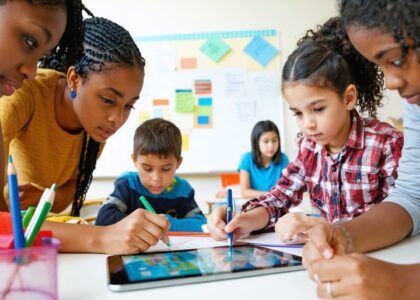
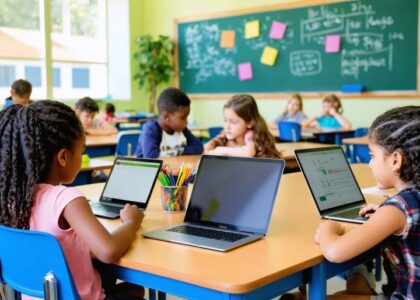
Technology becomes truly transformative when it opens doors for every student, regardless of their abilities, background, or learning style. In today’s diverse classrooms, inclusive technology isn’t just an add-on—it’s an essential foundation for creating equitable learning environments where all students can thrive.
Educational technology has evolved far beyond simple accommodations. Modern inclusive tools empower students to learn, create, and participate in ways that align with their individual needs and strengths. From text-to-speech capabilities that support different reading levels to adaptive assessment tools that provide personalized feedback, these technologies are reshaping how we define classroom participation and success.
For educators, implementing inclusive technology means embracing a fundamental shift in how we approach teaching and learning. It requires understanding that accessibility isn’t about providing special solutions for some students—it’s about designing learning experiences that work better for everyone. When we make technology choices through this lens, we create learning environments where every student has the opportunity to engage fully, demonstrate their knowledge, and reach their full potential.
This comprehensive guide will explore how to select, implement, and evaluate inclusive technology solutions that serve your entire student population effectively, ensuring no learner is left behind in our increasingly digital educational landscape.
Building the Foundation for Digital Equity
Access and Availability
Ensuring equal access to technology resources requires a multi-faceted approach that addresses both physical and digital barriers. Start by conducting a thorough assessment of your current technology infrastructure and identify gaps in accessibility. Consider implementing a device lending program for students who lack access to computers or tablets at home, and partner with local internet service providers to secure affordable connectivity options for families.
Create flexible access points throughout the school, such as technology stations in libraries and common areas, and establish before and after-school hours for students to use these resources. Remember to provide assistive technologies like screen readers, adaptive keyboards, and speech-to-text software to support students with different abilities.
Digital resources should be available across multiple platforms and devices to accommodate various user preferences and needs. Consider implementing a single sign-on system to simplify access to educational tools, and ensure all digital content meets WCAG accessibility guidelines. Regular training sessions for students and families can help bridge the digital literacy gap and ensure everyone can effectively utilize available resources.
Keep documentation and support materials in multiple formats and languages to serve your diverse school community. Regular feedback from students, parents, and staff will help identify and address new accessibility challenges as they arise.
Universal Design for Learning (UDL)
Universal Design for Learning principles form the foundation of inclusive technology integration in modern classrooms. This framework emphasizes multiple means of engagement, representation, and action/expression to ensure all students can access and participate in learning activities.
When implementing technology tools, consider providing content in various formats, such as text, audio, and visual representations. For example, using screen readers, closed captions, and adjustable text sizes allows students with different learning needs to engage with digital materials effectively. Interactive tools like digital whiteboards and collaborative platforms offer multiple ways for students to demonstrate their understanding and participate in class activities.
Remember to maintain flexibility in how students can interact with technology. Some may prefer touch screens, while others might work better with keyboards or voice commands. The key is offering choices that accommodate diverse learning styles and abilities. Regular feedback from students about their technology experiences helps refine and improve the implementation of these inclusive practices, ensuring no learner is left behind.


Adaptive Technologies for Diverse Learners
Learning Disabilities Support
Modern adaptive technologies for special education have revolutionized support for students with learning disabilities. Text-to-speech software enables students with reading difficulties to access written content independently, while speech-to-text tools help those who struggle with writing to express their ideas clearly. These technologies level the playing field and boost student confidence.
Learning management systems now incorporate features like dyslexia-friendly fonts, adjustable text spacing, and color overlays to accommodate various reading challenges. Mind-mapping software helps students with organizational difficulties to structure their thoughts and create visual connections between concepts. For students with attention challenges, focus-assistance apps provide timers, breaks, and distraction-free interfaces.
Many of these tools include built-in scaffolding features, such as word prediction, grammar support, and vocabulary assistance. This helps students work more independently while developing their skills. Additionally, gamified learning platforms offer multisensory approaches to reinforce concepts, making learning more engaging and accessible for students with different learning styles.
Remember that successful implementation requires regular assessment of student needs and ongoing adjustment of tools and strategies. Collaboration between teachers, support staff, and families ensures these technologies are used effectively to support student learning and growth.
Language and Communication Tools
Technology plays a vital role in helping to support multilingual learners and students with diverse communication needs. Translation tools like Google Translate and Microsoft Translator can provide immediate language support, while text-to-speech and speech-to-text applications help bridge communication gaps. These tools are particularly valuable for real-time classroom interactions and assignment completion.
Language learning apps such as Duolingo and Rosetta Stone offer structured practice opportunities, while communication boards and symbol-based apps assist students who may struggle with verbal expression. For students with speech challenges, augmentative and alternative communication (AAC) devices provide essential ways to participate in classroom discussions and activities.
Digital dictionaries and visual vocabulary tools help students build language skills at their own pace. Many of these tools incorporate multimedia elements, such as images, audio pronunciations, and context examples, making language acquisition more engaging and effective.
Cloud-based collaboration platforms with built-in translation features enable students to work together regardless of language differences. These tools often include features like closed captioning for videos and automatic transcription for audio content, ensuring all students can access educational materials effectively.
Remember to integrate these tools thoughtfully, providing adequate training and support to both students and staff to ensure maximum benefit from these resources.
Creating Interactive Learning Environments
Collaborative Tools
Collaborative digital tools are essential for creating an inclusive learning environment where all students can participate and contribute meaningfully. Tools like Google Workspace for Education and Microsoft Teams provide shared workspaces where students can collaborate in real-time, each contributing according to their abilities and preferences.
Digital whiteboards such as Miro and Jamboard allow visual learners to express ideas through drawings, diagrams, and mind maps, while enabling others to contribute through text or voice notes. These platforms often include features like screen readers and voice-to-text capabilities, ensuring students with different needs can participate fully.
Project management tools like Trello and Padlet help structure group work by breaking tasks into manageable chunks and allowing students to track progress visually. These tools can be particularly beneficial for students who need clear organization and step-by-step guidance.
Discussion platforms like Flipgrid and VoiceThread enable students to share ideas through various media formats – text, audio, or video – accommodating different communication preferences and abilities. This multimodal approach ensures that every student has a voice in class discussions.
Remember to configure these tools with appropriate accessibility settings and provide clear instructions for their use, ensuring all students can access and benefit from collaborative activities.

Assessment and Feedback
Assessment methods must be flexible and adaptable to accommodate diverse learning needs and abilities. Consider offering multiple formats for student responses, such as voice recordings, digital presentations, or interactive simulations alongside traditional written assessments. Digital tools like screen readers, speech-to-text software, and customizable interfaces can make assessments more accessible to all students.
Feedback should be delivered through various channels to ensure it reaches every student effectively. Incorporate audio feedback, visual cues, and written comments to support different learning preferences. Many digital platforms now offer automated feedback features that can be customized to provide immediate, constructive responses while maintaining a supportive tone.
Progress monitoring tools can help track student achievement across different formats and identify areas where additional support may be needed. Consider implementing digital portfolios that allow students to showcase their learning through various media types. These portfolios can include video demonstrations, digital art, coding projects, or written work.
Remember to gather student input about assessment methods and feedback preferences. Regular surveys and check-ins can help educators refine their assessment strategies to better serve all learners. This collaborative approach ensures that assessment practices remain truly inclusive and responsive to student needs.
Professional Development and Support
Professional development is crucial for successful implementation of inclusive technology in the classroom. Educators can access numerous digital resources for teachers to enhance their skills and knowledge in this area. Start by exploring online learning platforms that offer self-paced courses focused on inclusive technology integration.
Many school districts provide structured training programs that combine hands-on workshops with mentoring support. These programs typically include practical demonstrations, collaborative planning sessions, and opportunities to practice with various assistive technologies. Regular tech-coaching sessions can help teachers build confidence and troubleshoot challenges in real-time.
Professional learning communities (PLCs) focused on inclusive technology create valuable spaces for educators to share experiences, exchange ideas, and develop best practices together. These communities often maintain online forums where members can post questions, share success stories, and access peer support whenever needed.
Ongoing support is equally important as initial training. Consider establishing a technology integration team within your school, comprising tech-savvy teachers and specialists who can provide immediate assistance. Regular check-ins and feedback sessions help identify areas where additional support might be needed.
Resources like webinars, instructional videos, and step-by-step guides should be readily available in a centralized digital library. These materials serve as quick reference tools when implementing new technologies or addressing specific student needs. Remember to document successful strategies and share them with colleagues to build a collaborative knowledge base that benefits the entire school community.
Measuring Success and Making Adjustments
Measuring the success of inclusive technology initiatives requires a systematic approach that combines quantitative data with qualitative feedback. Start by establishing clear baseline metrics before implementing new technologies, including student engagement levels, academic performance, and participation rates across different student groups.
Create regular check-in points throughout the school year to gather data through multiple channels. Conduct student surveys that ask about technology accessibility, ease of use, and learning preferences. Include questions that address both technical aspects and emotional comfort with the tools being used. Remember to make these surveys accessible to all students, offering multiple response formats when necessary.
Document observable changes in classroom dynamics, paying particular attention to participation patterns among students with different abilities and learning styles. Keep track of which digital tools and adaptations are most frequently used and which might need adjustment or replacement.
Consider implementing a feedback loop system where students, parents, and teachers can share their experiences and suggestions. This could include:
– Monthly student focus groups
– Parent feedback forms
– Teacher observation logs
– Digital tool usage analytics
– Progress monitoring data
When reviewing collected data, look for patterns that indicate areas of success or needed improvement. Are certain student groups consistently showing lower engagement? Are some tools being underutilized? Use these insights to make informed adjustments to your technology integration strategy.
Remember that success looks different for each student. While standardized metrics are important, individual progress and increased independence in using technology tools are equally valuable indicators of success. Be prepared to make both small tweaks and larger systematic changes based on your findings.
Document successful strategies and share them with colleagues through professional learning communities. This collaborative approach helps build a knowledge base of effective practices while fostering a culture of continuous improvement in inclusive technology use.
As we’ve explored throughout this article, inclusive technology is not just an add-on to modern education—it’s an essential foundation for creating equitable learning environments where all students can thrive. By embracing universal design principles and implementing adaptive technologies, educators are breaking down barriers and opening new possibilities for diverse learners.
The future of inclusive technology in education looks increasingly promising. Emerging technologies like artificial intelligence and virtual reality are creating even more opportunities for personalized learning experiences. However, success depends on our continued commitment to putting students’ needs first and maintaining a flexible, adaptive approach to technology integration.
Remember that implementing inclusive technology is an ongoing journey rather than a destination. Start small, celebrate successes, and learn from challenges along the way. Stay connected with fellow educators, share experiences, and continue building your inclusive technology toolkit. Regular assessment and adjustment of your strategies will ensure they remain effective and relevant for your students.
As you move forward, focus on creating technology-rich environments that welcome all learners, regardless of their abilities or backgrounds. When we make technology accessible to everyone, we’re not just helping individual students—we’re building a more inclusive and equitable educational system for future generations.
Your efforts in implementing inclusive technology solutions make a real difference in students’ lives. Together, we can create classrooms where technology truly serves as a bridge to learning for all students.