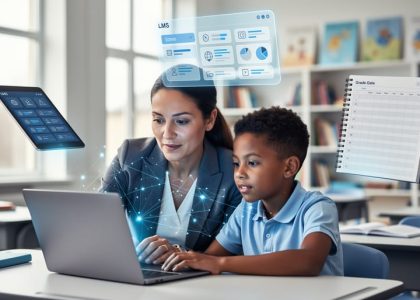
Transform your classroom into a dynamic learning environment by strategically integrating digital tools that enhance student engagement and learning outcomes. Today’s educators face the exciting challenge of balancing traditional teaching methods with innovative technology, creating opportunities for personalized learning experiences that prepare students for an increasingly digital world.
The rapid evolution of educational technology offers unprecedented possibilities for differentiated instruction, real-time assessment, and collaborative learning. From interactive whiteboards to learning management systems, the right combination of digital tools can streamline administrative tasks while deepening student understanding across subjects. However, successful technology integration requires more than just access to the latest devices—it demands thoughtful planning, ongoing professional development, and a clear vision of how these tools support pedagogical goals.
As we explore effective strategies for teaching with technology, our focus remains on leveraging digital resources to create meaningful learning experiences that develop critical thinking, creativity, and digital literacy skills. Whether you’re new to educational technology or looking to enhance your existing digital toolkit, these proven approaches will help you harness the power of technology to transform teaching and learning in your classroom.
Building Your Digital Teaching Foundation
Choosing the Right Tech Tools
Selecting the right technology tools for your classroom requires careful consideration of several key factors. Start by evaluating your game-changing tech tools based on your specific learning objectives and curriculum requirements. Consider your students’ age group, digital literacy levels, and access to devices both in and outside the classroom.
For elementary grades, prioritize tools with intuitive interfaces and built-in safety features. Middle school students benefit from collaborative platforms that support project-based learning, while high school students can handle more sophisticated tools for content creation and analysis.
Match your tech choices to your subject matter: mathematics teachers might focus on interactive calculation and visualization tools, while language arts educators might prefer digital writing and annotation platforms. Look for tools that offer differentiation options to support diverse learning needs and accessibility features for students with disabilities.
Before implementing any new technology, test it thoroughly and ensure it integrates well with your existing digital infrastructure. Remember that simpler solutions often prove more effective than complex ones, especially when getting started with educational technology.

Setting Up Your Digital Classroom
Creating an effective digital classroom begins with thoughtful organization and setup. Start by selecting a primary learning management system (LMS) that aligns with your school’s requirements and your teaching style. Popular options like Google Classroom or Canvas offer user-friendly interfaces that help streamline course organization.
Set up a clear folder structure for your digital materials, organizing content by units, subjects, or weeks. Create separate spaces for assignments, resources, and student discussions. Remember to establish a consistent naming convention for files and folders to make navigation intuitive for both you and your students.
Consider your students’ access to technology when designing your digital space. Ensure all essential tools are compatible across different devices and platforms. Set up a simple troubleshooting guide or FAQ section to address common technical issues students might encounter.
Establish clear communication channels within your digital classroom. Include a prominent announcement area, assignment submission portal, and a dedicated space for student questions. Create a virtual meeting area for synchronous learning sessions, complete with basic rules for online engagement and participation.
Remember to test all components of your digital classroom before introducing them to students, ensuring a smooth learning experience from day one.
Proven Tech Integration Strategies
Blended Learning Approaches
Blended learning combines the best of traditional classroom instruction with digital tools, creating a dynamic and flexible learning environment. This approach allows teachers to leverage technology while maintaining valuable face-to-face interactions with students. Start by identifying which learning objectives are best suited for in-person instruction and which can be enhanced through digital means.
Consider implementing a rotation model where students alternate between online and offline activities. For example, students might begin with direct instruction, then move to digital practice exercises, and finish with small group discussions. This variety helps maintain engagement while catering to different learning styles.
Digital tools can enhance homework assignments and independent practice, while classroom time focuses on deeper discussions, hands-on activities, and personalized support. Use learning management systems to organize materials and track progress, making it easier to identify when students need additional help.
Remember to maintain a balanced approach. Technology should complement, not replace, effective teaching practices. Start small by digitizing one aspect of your lessons, then gradually expand as you and your students become more comfortable with the blended format. Regular check-ins with students about their experience can help you fine-tune the balance between digital and traditional methods.
Success in blended learning comes from thoughtful integration and flexibility. Be prepared to adjust your approach based on student needs and feedback, ensuring that technology serves your educational goals rather than driving them.

Interactive Assessment Tools
Interactive assessment tools have revolutionized how teachers evaluate student understanding and provide timely feedback. These digital solutions not only help boost student engagement but also streamline the assessment process for educators.
Popular tools like Kahoot!, Quizizz, and Plickers enable teachers to create interactive quizzes that students can complete using their devices or special response cards. These platforms provide instant results, allowing teachers to identify knowledge gaps and adjust instruction on the fly. Google Forms with self-grading features and Nearpod’s built-in formative assessment options offer additional ways to gauge student understanding during lessons.
Digital exit tickets through tools like Socrative or Mentimeter help teachers gather quick feedback at the end of class sessions. These responses can inform the next day’s instruction and ensure no student falls behind. For more comprehensive assessments, platforms like Edulastic and Formative allow teachers to create standards-aligned questions and track student progress over time.
Remember to choose tools that integrate well with your existing classroom technology and provide meaningful data that can drive instructional decisions. Start with one or two tools and gradually expand your assessment toolkit as you and your students become more comfortable with digital evaluation methods.
Collaborative Learning Platforms
In today’s digital classroom, collaborative learning platforms have become essential tools for fostering student engagement and peer-to-peer learning. These platforms create virtual spaces where students can work together, share ideas, and build knowledge collectively, regardless of physical location.
Popular platforms like Google Workspace for Education and Microsoft Teams provide integrated environments where students can collaborate on documents, presentations, and projects in real-time. These tools allow teachers to monitor progress, provide immediate feedback, and guide group discussions effectively. When combined with adaptive learning technology, these platforms can create personalized learning experiences while maintaining the benefits of group work.
Discussion boards and digital breakout rooms offer structured spaces for students to engage in meaningful dialogue, share perspectives, and develop critical thinking skills. Tools like Padlet and Flipgrid enable students to create multimedia responses and interact with their peers’ work, making learning more dynamic and engaging.
To maximize the effectiveness of collaborative platforms:
– Establish clear guidelines for online interaction
– Create structured activities that promote meaningful collaboration
– Provide regular opportunities for peer feedback
– Incorporate both synchronous and asynchronous collaboration options
– Use built-in assessment tools to track participation and progress
By thoughtfully implementing these platforms, teachers can create inclusive learning environments that support diverse learning styles and foster essential 21st-century collaboration skills.
Overcoming Common Tech Challenges
Technical Troubleshooting Tips
When technical issues arise during class, having a quick troubleshooting toolkit can save valuable teaching time. Start with the basics: ensure all devices are properly charged and connected to the network. If students can’t access online resources, first check if the issue is widespread or isolated to specific devices. A quick browser refresh or clearing the cache often resolves common loading problems.
For connectivity issues, keep a backup mobile hotspot handy, and teach students how to toggle their Wi-Fi connections on and off. Document cameras not displaying? Check the input source on your projector and ensure all cables are securely connected. When apps or programs freeze, guide students through the force-quit process on their respective devices.
Create a simple technical support flowchart for common problems and post it where students can easily reference it. Designate tech-savvy students as “Digital Helpers” who can assist peers with basic troubleshooting while you continue teaching. Always have offline alternatives ready – downloadable versions of digital resources or printable backups can keep the lesson flowing smoothly.
Remember to document recurring issues and share them with your IT support team. This helps identify patterns and develop long-term solutions. Consider creating a shared digital document where teachers can log common problems and solutions, building a collective knowledge base for the whole school community.
Student Engagement Solutions
Maintaining student engagement while using technology requires a balanced approach that combines structured activities with interactive elements. Start by establishing clear expectations and digital citizenship guidelines to create a focused learning environment. Use tools like digital timer displays and progress tracking apps to help students manage their time effectively and stay on task.
Implement the “3B4ME” rule: Before students ask for help, they should try three alternative solutions (Brain, Board, Buddy) before approaching the teacher. This promotes problem-solving skills and reduces technology-related disruptions. Create designated tech-free moments during lessons to maintain balance and prevent digital fatigue.
Incorporate active learning strategies such as digital think-pair-share activities, virtual gallery walks, and collaborative online projects. These approaches keep students engaged while developing their digital literacy skills. Use attention-grabbing signals, like screen-sharing countdown timers or digital attention bells, to redirect focus when needed.
Consider implementing gamification elements through educational platforms that reward focused work and completion of tasks. Monitor student activity through classroom management software, but maintain a positive approach by highlighting successful engagement rather than focusing on off-task behavior.
Regular brain breaks and movement activities between digital tasks help maintain student focus and energy levels. Finally, gather student feedback about their engagement experiences to continuously refine and improve your technology-enhanced teaching strategies.
Measuring Tech Integration Success

Assessment Strategies
Effective assessment of technology-enhanced learning requires a balanced approach combining traditional and digital evaluation methods. Teachers can utilize digital literacy tools to track student progress through interactive quizzes, digital portfolios, and automated feedback systems.
Real-time assessment tools like Kahoot, Quizizz, and Google Forms provide immediate insights into student understanding, allowing teachers to adjust instruction on the fly. Digital portfolios enable students to showcase their work while developing important technical skills. Learning management systems (LMS) can track engagement metrics and assignment completion rates, offering valuable data about student participation and progress.
For comprehensive evaluation, consider implementing:
– Pre and post-technology integration assessments
– Student self-reflection surveys
– Peer evaluation through collaborative platforms
– Project-based assessments that demonstrate technology competency
– Digital rubrics for consistent grading
Remember to align assessment strategies with learning objectives and provide multiple opportunities for students to demonstrate mastery through different technological platforms. This approach ensures a more inclusive and accurate measurement of student achievement while supporting various learning styles.
Continuous Improvement
Technology integration in education is an evolving journey that requires ongoing assessment and refinement. Start by regularly collecting feedback from students through surveys and informal discussions to understand what’s working and what isn’t. Document both successes and challenges in a teaching journal, which can help identify patterns and areas for improvement.
Stay current with educational technology trends by participating in professional development opportunities and connecting with other educators through social media and professional learning networks. Join online communities where teachers share their experiences and innovative practices. Consider setting up a peer observation system within your school, where teachers can learn from each other’s technology integration strategies.
Review your digital tools and practices at least once per semester. Evaluate their effectiveness based on student engagement, learning outcomes, and ease of use. Be open to trying new tools and approaches, but always ensure they align with your educational objectives. Remember that continuous improvement isn’t about constant change – it’s about making thoughtful adjustments that enhance student learning.
Don’t hesitate to reach out to your school’s technology coordinator or instructional coach for support and guidance in refining your approach. They can often provide valuable insights and resources for improvement.
As we’ve explored throughout this article, integrating technology into your teaching practice isn’t just about using the latest tools – it’s about creating meaningful learning experiences that prepare students for the future. The strategies we’ve discussed provide a solid foundation for beginning or enhancing your technology integration journey.
Remember that successful implementation starts with small steps. Begin by choosing one or two strategies that align with your teaching style and your students’ needs. Whether it’s incorporating digital collaboration tools, implementing flipped learning, or creating interactive assessments, focus on mastering one approach before moving on to the next.
Don’t be afraid to experiment and learn alongside your students. Technology integration is an evolving process, and occasional setbacks are natural learning opportunities. Lean on your professional learning network, connect with fellow educators, and share your experiences to build a supportive community of practice.
The future of education is increasingly digital, but the core principles of effective teaching remain unchanged. Technology should enhance, not replace, your pedagogical expertise. As you implement these strategies, keep student engagement and learning outcomes at the forefront of your planning.
Take the first step today. Start small, stay consistent, and celebrate the progress you make along the way. Your journey toward tech-enhanced teaching will not only benefit your students but will also contribute to your own professional growth in our increasingly connected world.