Recognize that Qualtrics AI tools—including text analytics, predictive intelligence, and automated survey features—can transform how you gather and understand student feedback, but only when implemented with intentional equity safeguards. These powerful platforms analyze open-ended responses, predict trends, and personalize survey experiences at scale, saving educators countless hours while uncovering insights that might otherwise remain hidden in data.
Understand that these same tools carry inherent risks of AI personalization bias that can amplify existing educational inequities. When AI categorizes student responses or predicts needs, it may misinterpret cultural communication styles, overlook non-dominant perspectives, or reinforce stereotypes embedded in its training data. Your role isn’t to avoid these tools, but to use them with informed awareness.
Start by auditing the AI-generated insights Qualtrics provides against your own knowledge of your students and community. Look specifically for patterns where certain demographic groups receive different categorizations or sentiment scores. Question whether automated themes capture the full complexity of diverse student voices or flatten important nuances.
Combine AI efficiency with human judgment by treating automated analysis as a first pass rather than final truth. Use the time these tools save you to dig deeper into responses from historically marginalized students, ensuring their feedback receives the thoughtful interpretation it deserves. This balanced approach lets you harness AI’s power while maintaining the educational expertise and cultural competence that technology cannot replicate.
What Makes Qualtrics AI Different from Traditional Survey Tools
Traditional survey tools have served educators well for years, but they often leave you sorting through spreadsheets and manually piecing together what students, families, or staff are really telling you. Qualtrics AI tools transform this experience by doing much of the analytical heavy lifting, allowing you to focus on what matters most: taking action to support your school community.
The key difference lies in how Qualtrics AI processes information. Instead of simply collecting responses, these tools actively analyze feedback as it comes in. Sentiment analysis reads between the lines of open-ended responses, identifying whether comments reflect positive, negative, or neutral feelings. This helps you quickly gauge the emotional temperature of your community without reading every single response.
Predictive analytics takes this further by identifying patterns and trends that might otherwise go unnoticed. For example, the system might detect early warning signs of student disengagement or highlight which support services families need most. These insights emerge from the data itself, rather than requiring you to form hypotheses and test them manually.
Text analysis capabilities shine when you receive hundreds of written responses. The AI categorizes themes, groups similar comments together, and surfaces the most frequently mentioned topics. What might take hours of manual coding happens in minutes, giving you a comprehensive view of common concerns and suggestions across your community.
Perhaps most valuable is the shift toward automated insights. Rather than asking “What does this data mean?” Qualtrics AI presents findings in digestible formats, often suggesting connections you might explore further. This doesn’t replace your professional judgment but enhances it, similar to how digital tools for personalization support rather than replace thoughtful teaching.
This AI-assisted approach means less time wrestling with data and more time understanding your community’s needs and designing responsive solutions that serve all students equitably.

Where Bias Hides in AI-Powered Educational Tools
The Hidden Patterns in Student Feedback Data
When student surveys flow through Qualtrics AI tools, the system begins identifying trends, grouping similar responses, and surfacing common themes. This automated analysis can save educators countless hours, but it’s essential to understand that AI interprets feedback through the lens of its training data—which may not fully represent your school community.
Cultural differences in how students express satisfaction or criticism can lead to misinterpretation. For example, students from cultures that value indirect communication may phrase concerns politely or hypothetically, which AI might categorize as neutral rather than urgent. Similarly, students learning English as an additional language might use simpler vocabulary that doesn’t capture the depth of their experience, causing their feedback to be weighted differently than native speakers.
Socioeconomic factors also play a role. Students without reliable internet access may submit shorter responses from mobile devices, potentially causing AI systems to tag their input as less engaged or thoughtful. The reality is quite different—these students simply face different access barriers.
Research has shown significant concerns about biases on diverse students when AI systems make automated decisions. In feedback analysis, this means certain student voices might be systematically underrepresented or misunderstood in the results you review.
The encouraging news is that awareness is the first step. By understanding these patterns, you can actively review AI-generated insights with a critical eye, ensuring every student’s perspective receives fair consideration in your decision-making process.
When Personalization Becomes Pigeonholing
AI-powered personalization in Qualtrics can be tremendously helpful when it suggests resources matched to student interests and learning styles. However, there’s a real risk that these same algorithms might inadvertently limit student potential by making assumptions based on incomplete or biased data patterns.
Consider a scenario where AI notices a student excels in creative writing but struggles with math assessments. Without proper oversight, the system might begin recommending primarily humanities-focused pathways, potentially closing doors to STEM opportunities before the student has fully explored them. Similarly, algorithms trained on historical data might perpetuate existing gaps by steering certain demographic groups toward predictable tracks.
The key is maintaining human judgment in the loop. While AI can surface patterns and suggest next steps, educators need to regularly question whether these recommendations expand or restrict possibilities for each student. Building strong inclusive classroom skills helps you recognize when personalization crosses into pigeonholing. Ask yourself: Are recommendations challenging students to grow beyond current comfort zones? Are diverse pathways being presented equally across all student groups? Your professional insight remains essential in ensuring AI serves as a tool for opening doors, not closing them.
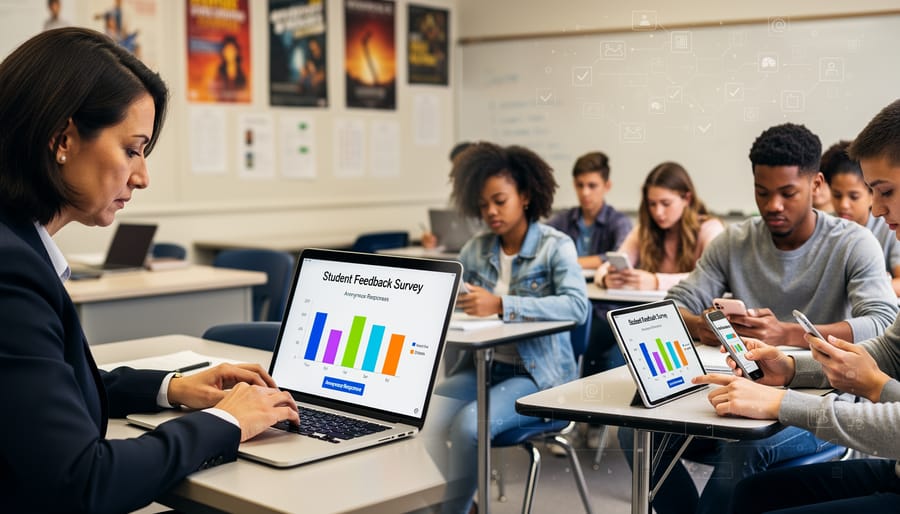
Using Qualtrics AI to Spot and Reduce Bias in Your Classroom Data
Designing Survey Questions That Work for All Students
Creating survey questions that work for all students starts with intentional design choices that minimize bias from the very beginning. Just as you differentiate instruction in your classroom, your survey questions should be accessible and fair to students with diverse backgrounds, abilities, and experiences.
Qualtrics offers several features that support inclusive question design. The platform’s Question Library includes pre-tested, validated questions that have been reviewed for clarity and neutrality. These templates can serve as excellent starting points, though you’ll still want to review them through the lens of your specific student population.
When crafting questions, use simple, direct language that students at various reading levels can understand. Avoid double-barreled questions that ask about two things at once, and be mindful of response scales that might carry cultural assumptions. For example, rating scales about family involvement should acknowledge that families support learning in diverse ways.
Qualtrics’ Preview and Test feature allows you to view your survey as students will see it across different devices. This is particularly helpful for ensuring accessibility and checking that questions display properly on smartphones, which many students use to complete surveys.
Consider using Qualtrics’ Display Logic to adapt question flow based on student responses, creating a more personalized experience that reduces survey fatigue. This feature works similarly to how digital assessment tools adjust to student needs.
Before launching your survey widely, pilot it with a small, diverse group of students and ask for their feedback. Their insights about confusing wording or missing response options are invaluable for refining your questions and reducing unintentional bias in your data collection.
Reading AI Insights Through a Critical Lens
AI-generated insights from Qualtrics can be powerful, but they shouldn’t be accepted at face value. As educators, you already know the importance of critical thinking in the classroom—the same mindset applies when reviewing AI outputs. Here’s how to approach these insights thoughtfully.
Start by asking foundational questions about the data behind the insights. Who is represented in the student responses? If only 60% of your students completed a survey, what perspectives might be missing? Are students from particular backgrounds, learning styles, or achievement levels underrepresented? These gaps can skew AI conclusions significantly.
When Qualtrics presents a pattern or recommendation, test it against your professional knowledge. Does the insight align with what you’ve observed in your classroom? If the AI suggests that “students prefer independent work,” but you know your collaborative projects have been successful, dig deeper into the data segments. The AI might be picking up signals from only certain student groups.
One practical validation strategy is forming small focus groups with diverse students. Share the AI-generated insight in age-appropriate terms and ask for their reactions. Do they see themselves in this conclusion? Their firsthand perspectives often reveal nuances the AI missed.
Additionally, cross-reference AI insights with other data sources you’ve collected—classroom observations, parent feedback, or traditional assessments. If multiple sources point in the same direction, you can feel more confident. If they contradict each other, investigation is needed.
Remember, Qualtrics AI tools are designed to support your decision-making, not replace your professional judgment. You bring irreplaceable context about your students’ lives, your school community, and educational best practices. When AI insights enhance rather than override that expertise, you’re using these tools at their best.
Real Classroom Applications: What Teachers Are Already Doing
Across the country, innovative educators are discovering practical ways to integrate Qualtrics AI tools into their daily practice while keeping equity at the forefront. These real-world applications demonstrate how thoughtful implementation can enhance teaching without compromising inclusivity.
At Roosevelt Middle School in Oregon, seventh-grade science teacher Marcus Chen uses Qualtrics surveys with AI-powered sentiment analysis to check in with students after complex lab activities. Rather than relying solely on the AI’s interpretation, Marcus reviews the raw responses alongside the AI summary, looking specifically for patterns that might reflect different learning styles or language proficiency levels. He’s discovered that English language learners sometimes express confusion differently than native speakers, prompting him to adjust how he phrases follow-up questions and differentiate support.
Elementary teacher Sarah Patel has transformed her third-grade reading program using Qualtrics to gather weekly feedback about story preferences and comprehension challenges. The AI helps her quickly identify themes in student responses, but she’s intentional about ensuring the survey itself offers diverse response options. Sarah includes visual response scales alongside text options and regularly updates her question bank to reflect her students’ various cultural backgrounds and interests. This approach has helped her build a classroom library that genuinely represents all her learners.
High school math teacher James Rodriguez leverages Qualtrics AI tools to analyze end-of-unit reflections from his geometry students. He specifically looks for discrepancies between what the AI highlights and what he observes in class, treating these differences as opportunities to examine potential bias. When the AI flagged certain student responses as indicating low confidence, James dug deeper and realized these students were actually demonstrating metacognitive awareness rather than struggle, leading him to refine his interpretation process.
At the district level, curriculum coordinator Dr. Linda Washington uses Qualtrics to aggregate teacher feedback about new instructional materials across 15 schools. The AI helps process large volumes of qualitative data quickly, but her team has established protocols for human review that specifically examine whether feedback patterns differ across schools serving different demographic populations. This dual approach ensures technology serves as a tool for understanding, not a replacement for critical thinking about educational equity.
Building Your Bias-Awareness Practice: Questions to Ask Before, During, and After
Developing a thoughtful bias-awareness practice doesn’t require technical expertise—it simply asks you to apply the same critical thinking you already use in curriculum planning and classroom management. By organizing your reflection into three distinct phases, you can build confidence in your ability to use Qualtrics AI tools responsibly and equitably.
Before Design: Setting Your Foundation
Start by asking yourself what you’re hoping to accomplish and who might be affected differently by your choices. Consider questions like: What is the purpose of this survey or data collection? Which student voices am I most likely to hear, and whose perspectives might be harder to capture? Are there cultural or linguistic factors that could influence how students interpret my questions? This preparatory phase helps you make intentional choices about language, question formats, and response options before the AI begins analyzing patterns.
During Implementation: Staying Alert in Real Time
As you launch your survey and begin reviewing AI-generated insights, maintain an active stance of curiosity. Ask yourself: Do the patterns the AI identifies reflect genuine student needs, or could they be artifacts of how questions were framed? Are certain student groups underrepresented in the response data? When the AI suggests a categorization or priority, does it align with what you know about your students’ lived experiences? This ongoing attention helps you catch potential issues early.
How can I tell if an AI recommendation is biased?
Compare the AI’s suggestions against your direct knowledge of your students and look for patterns that seem to overlook or stereotype particular groups. If something feels off or oversimplified, trust that instinct and investigate further.
What if I don’t have time to review every AI insight?
Focus on decisions that directly impact student opportunities or resources, and prioritize reviewing findings about historically marginalized groups in your school community.
Should I avoid using AI tools if I’m worried about bias?
Not at all—thoughtful use with awareness is more effective than avoidance. These tools can support equity when paired with your professional judgment.
After Reflection: Learning From Each Experience
Close the loop by examining outcomes and adjusting your approach. Ask: Did the insights lead to decisions that benefited all students? What surprised me about the results? How might I design things differently next time? This reflection phase transforms each experience into professional growth, building your capacity to use AI tools with increasing skill and equity-mindedness.

As you explore Qualtrics AI tools and other digital resources for teachers, remember that you are the irreplaceable human element in your students’ educational journey. These tools offer powerful capabilities for understanding student needs and personalizing learning experiences, but they require your professional judgment, cultural awareness, and commitment to equity to truly serve all learners.
Embracing AI doesn’t mean surrendering your expertise. Rather, it means adding another resource to your teaching toolkit while staying vigilant about bias and inequity. Continue asking critical questions, reviewing data patterns, and advocating for students whose needs might be overlooked by algorithms. Share your experiences with colleagues, participate in professional learning communities, and contribute to ongoing conversations about responsible AI use in education.
Your willingness to learn, adapt, and maintain a student-centered focus makes the difference between technology that merely processes data and technology that genuinely supports inclusive, equitable personalization. Trust your instincts, lean on your community, and keep students at the heart of every decision you make about AI integration.