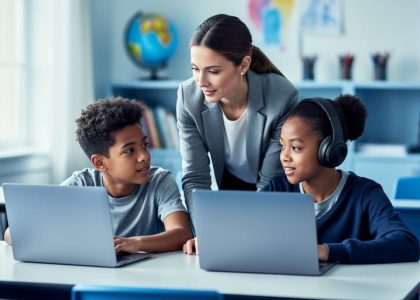
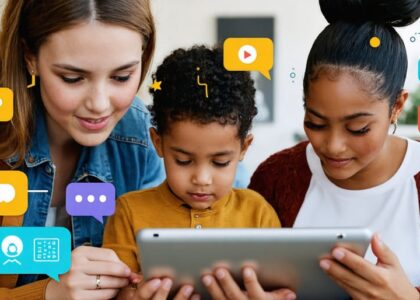
Transform special education classrooms with powerful digital tools that adapt to diverse learning needs and create inclusive learning environments. Today’s educational technology offers unprecedented opportunities to support students with special needs, from text-to-speech applications that enhance reading comprehension to adaptive learning platforms that automatically adjust to individual skill levels.
In the interest of transparency, we earn a commission on some purchases made through links on this site.
Recent studies show that personalized digital tools can increase engagement by up to 67% among special needs students while providing real-time feedback that helps educators track progress and adjust teaching strategies. These innovations, combined with traditional support methods, create a comprehensive learning ecosystem that addresses various challenges, from attention difficulties to communication barriers.
By integrating these tools thoughtfully into daily instruction, educators can foster independence, build confidence, and ensure every student has the opportunity to succeed. The key lies not just in implementing technology, but in selecting tools that align with specific learning objectives and individual student needs, creating a supportive environment where every learner can thrive.
Assistive Technology Tools for Learning Disabilities
Text-to-Speech and Speech-to-Text Solutions
Text-to-speech (TTS) and speech-to-text (STT) technologies are game-changing tools for students with reading and writing challenges. These solutions help level the playing field by removing barriers to learning and promoting independence in the classroom.
For students with dyslexia or reading difficulties, TTS tools can read digital text aloud, allowing them to focus on comprehension rather than decoding. Popular options like Natural Reader and Read&Write offer customizable reading speeds, highlighting features, and various voice options to suit individual preferences. Many of these tools can read everything from textbooks to websites, making them versatile for different subjects.
Speech-to-text tools are particularly beneficial for students who struggle with writing or have motor skill challenges. Programs like Dragon Naturally Speaking and Google’s Voice Typing enable students to verbalize their thoughts and see them appear as text on screen. This technology helps students express their ideas more freely without being limited by typing or handwriting abilities.
Many modern devices come with built-in accessibility features that include basic TTS and STT capabilities. For instance, most tablets and smartphones now offer these features at no additional cost, making them readily available to students both in class and at home.
When implementing these tools, it’s important to provide adequate training and support to both students and teaching staff. Regular practice sessions and ongoing feedback help ensure these technologies become natural parts of the learning process rather than obstacles themselves.

Visual Learning Support Tools
Visual learning tools are invaluable assets for students who process information better through sight-based methods. Mind mapping software like MindMeister and Coggle helps students organize their thoughts and create visual connections between concepts. These tools are particularly effective for brainstorming sessions and project planning.
Color coding systems and visual schedules have proven extremely beneficial for students who need help with time management and daily routines. Apps like Time Timer and Visual Schedule Planner provide clear, visual representations of time and daily activities, helping students transition between tasks more smoothly.
For students who struggle with reading comprehension, visual support tools like Snap&Read and Seeing AI can convert text into more accessible formats, including picture-supported text and visual summaries. These tools can highlight key concepts and create visual hierarchies of information, making complex texts more manageable.
Graphic organizers and visual learning platforms like Popplet and Canva Education allow students to create visually appealing presentations and organize information in ways that make sense to them. These platforms offer templates and customizable options that accommodate different learning styles and abilities.
Interactive whiteboards and annotation tools give students the freedom to manipulate visual content directly, enhancing engagement and understanding. Tools like ClassroomScreen and Explain Everything enable teachers to create visual demonstrations that students can interact with, making abstract concepts more concrete and memorable.
Communication Enhancement Technologies
AAC (Augmentative and Alternative Communication) Apps
AAC apps have revolutionized communication possibilities for non-verbal students, offering them powerful tools to express thoughts, needs, and emotions. These digital solutions range from basic picture-based communication boards to sophisticated text-to-speech applications, making them adaptable to various skill levels and needs.
Popular AAC apps like Proloquo2Go and TouchChat HD provide customizable symbol-based communication systems that students can navigate independently. These apps feature intuitive interfaces with picture symbols, words, and phrases that can be organized into categories for easy access. When selected, the symbols can be voiced aloud, helping students participate actively in classroom discussions and social interactions.
For emerging communicators, apps like LetMeTalk and JABtalk offer simpler interfaces with clear, high-contrast images and basic sentence-building capabilities. These apps can be particularly effective for students who are just beginning to use AAC systems or those who need more structured communication support.
Many AAC apps now include built-in learning tools that help students develop communication skills progressively. Features like word prediction, customizable vocabulary sets, and different symbol libraries make these apps valuable resources for both communication and literacy development. Some apps even offer multilingual support, making them especially useful in diverse classroom settings.
When selecting an AAC app, consider factors such as the student’s motor skills, cognitive abilities, and communication goals. Many apps offer free trials, allowing educators to test their suitability before making a commitment.

Social Skills Development Platforms
Digital platforms designed to support social-emotional development have become invaluable tools for special needs students. These platforms offer structured environments where students can practice social interactions and develop emotional awareness in a safe, supportive setting.
Popular platforms like Social Express and Story Club provide animated scenarios that help students understand social cues, facial expressions, and appropriate responses in various situations. These interactive tools allow students to practice decision-making in social contexts without the pressure of real-time interactions.
Emotion recognition apps such as Touch and Learn – Emotions and Let’s Be Social use photographs and real-life situations to teach students how to identify and respond to different emotional states. Many of these platforms incorporate game-like elements, making the learning process engaging and rewarding for students.
Virtual reality (VR) social skills platforms are emerging as powerful tools, offering immersive experiences where students can practice social interactions in simulated environments. These platforms provide immediate feedback and allow for repeated practice of challenging social scenarios.
Most platforms include progress tracking features, enabling teachers to monitor student development and adjust instruction accordingly. Many also offer parent portals, fostering collaboration between school and home environments. This comprehensive approach ensures consistent support across different settings, maximizing the effectiveness of social skills training.
Adaptive Learning Platforms
Mathematics and Problem-Solving Tools
Mathematical learning tools for special needs students have evolved significantly, offering innovative ways to develop mathematics and literacy skills through adaptive technology. Visual modeling software, such as NumberLine and MathSpace, helps students understand abstract concepts through interactive representations and step-by-step problem-solving guides.
Touch-screen applications with customizable interfaces accommodate different learning styles and motor skill levels. These tools often include features like voice commands, enlarged numbers, and color-coding to support students with visual processing challenges or dexterity issues. Digital manipulatives allow students to explore mathematical concepts hands-on, while immediate feedback builds confidence and understanding.
Calculator tools with speech output and specialized graphing capabilities help students with visual impairments or processing difficulties work independently. Many of these tools incorporate game-based learning elements, making mathematical practice engaging and rewarding. Multi-sensory math programs combine audio, visual, and tactile elements to reinforce learning concepts.
For problem-solving development, tools like MathTalk and EquatIO provide speech-to-text capabilities, allowing students to verbalize their mathematical thinking. These applications often include built-in scaffolding features that can be gradually reduced as students gain proficiency, promoting independence while maintaining support where needed.

Reading and Language Development Programs
Reading and language development tools have revolutionized how we support students with diverse learning needs. These adaptive platforms offer personalized learning experiences that adjust to each student’s pace and learning style. Text-to-speech features, for instance, help students who struggle with traditional reading methods by converting written text into spoken words, making content more accessible and engaging.
Many of these programs incorporate multisensory learning approaches, combining visual, auditory, and interactive elements. Students can benefit from features like highlighted text that synchronizes with audio narration, customizable font sizes and styles, and adjustable reading speeds. This flexibility allows educators to tailor the learning experience to each student’s specific needs.
Popular platforms now include advanced features such as vocabulary builders, comprehension exercises, and progress tracking tools. These programs often use gamification elements to maintain student engagement while building essential literacy skills. For students with dyslexia or other reading challenges, specialized programs offer structured literacy approaches with systematic phonics instruction and regular practice opportunities.
Language development tools also support English language learners and students with speech difficulties. These platforms typically include pronunciation guides, speech recognition technology, and interactive conversation practice. Many programs now offer real-time feedback and adaptive exercises that grow more challenging as students progress, ensuring continuous development of language skills.
Implementation Strategies and Best Practices
Implementing educational tools for special needs students requires a thoughtful, systematic approach that considers both individual student needs and classroom dynamics. Here are key strategies to ensure successful integration of these tools in your classroom:
Start with a personalized assessment of each student’s needs and abilities. This foundation helps you select the most appropriate tools and establish realistic goals. Create an implementation plan that includes specific benchmarks and regular progress monitoring.
Introduce new tools gradually to avoid overwhelming students. Begin with one tool at a time, allowing students to become comfortable before introducing additional resources. This approach helps build confidence and ensures proper understanding of each tool’s functionality.
Establish clear routines and expectations for tool usage. Create visual guides or checklists that students can reference independently. These supports promote autonomy and help students develop consistent habits in using their educational tools.
Collaborate with support staff, including special education teachers, occupational therapists, and speech pathologists. Their expertise can provide valuable insights into tool adaptation and modification for specific learning needs.
Regular communication with families is essential. Share information about the tools being used, provide home access when possible, and offer guidance on supporting their children’s learning outside the classroom. This partnership strengthens the effectiveness of the tools across different environments.
Maintain detailed documentation of tool effectiveness. Track which features work best for different students and learning situations. This data helps refine your approach and supports evidence-based decision-making for future tool selection.
Consider creating buddy systems or peer support groups where students can help each other learn to use new tools. This approach not only builds community but also reinforces learning through teaching others.
Schedule regular check-ins with students to gather feedback about their experience with the tools. Their input is invaluable for making necessary adjustments and ensuring the tools continue to meet their evolving needs.
Remember to stay flexible and ready to adjust your implementation strategy. What works for one student may not work for another, and needs can change over time. Regular evaluation and adaptation of your approach ensures continued effectiveness and student success.
Finally, invest time in your own professional development. Stay informed about new tools and techniques through workshops, online courses, and professional learning communities. Your growing expertise will directly benefit your students’ learning experience.
As we’ve explored throughout this article, educational technology offers transformative possibilities for supporting special needs students in their learning journey. The diverse range of digital tools available today can address various learning challenges while promoting engagement, independence, and academic success. From text-to-speech applications to sensory learning platforms, these resources provide educators with powerful means to create inclusive learning environments.
Remember that implementing these tools effectively requires a thoughtful, student-centered approach. Take time to assess individual student needs, experiment with different tools, and gather feedback from both students and fellow educators. The most successful implementations often come from starting small and gradually expanding based on what works best for your classroom.
We encourage you to join online educator communities and participate in professional development opportunities focused on special education technology. These connections can provide valuable insights, practical tips, and ongoing support as you integrate new tools into your teaching practice.
Finally, stay flexible and open to emerging technologies and teaching methods. The field of educational technology is constantly evolving, bringing new opportunities to support special needs students. Your commitment to exploring and implementing these tools makes a meaningful difference in your students’ educational experience and future success.
Together, we can create more inclusive, engaging, and effective learning environments that help every student reach their full potential.