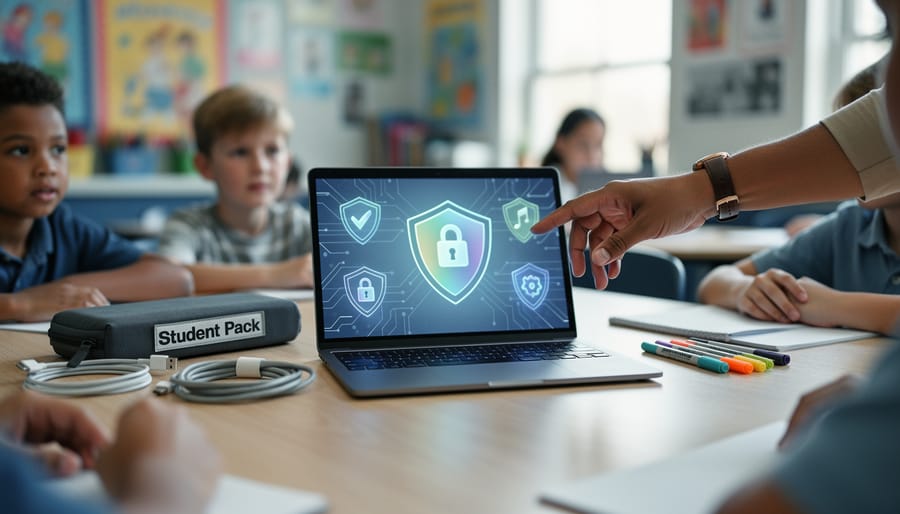
Vulnerability mitigation is the systematic process of identifying, prioritizing, and addressing security weaknesses in your school’s digital systems before those weaknesses can be exploited. For K-12 educators, this means taking practical steps to protect student data, maintain system access, and prevent disruptions to learning, typically through a combination of regular software updates, access controls, and staff awareness. The good news? You don’t need to become an IT specialist to implement effective vulnerability mitigation in your classroom or school.
Think of vulnerability mitigation as the digital equivalent of childproofing a classroom. Just as you’d secure sharp objects and cover electrical outlets to prevent physical harm, vulnerability mitigation secures digital entry points to prevent data breaches, ransomware attacks, and unauthorized access to student information. In 2026, with schools increasingly reliant on learning management systems, student devices, and cloud-based tools, these digital vulnerabilities pose real risks to both instructional continuity and student privacy.
The challenge many educators face is that cybersecurity often feels like someone else’s job. Yet teachers and administrators interact daily with the very systems that need protection: grading platforms, attendance records, communication tools, and student assessment data. A single unpatched application, an unchanged default password, or a clicked phishing link can compromise thousands of student records.
This article breaks down vulnerability mitigation into practical actions you can take immediately, whether you’re managing a single classroom or overseeing an entire district. You’ll discover how to identify common vulnerabilities in educational technology, understand which risks demand urgent attention, and implement straightforward protective measures that fit into your existing workflow. We’ve also built interactive tools and community forums where you can share strategies with fellow educators facing similar challenges.
What Vulnerability Mitigation Really Means for Educators
Think of vulnerability mitigation as fixing small cracks in your classroom before they become big problems. When you spot a wobbly desk leg and tighten it before someone gets hurt, you’re doing the physical-world version of what vulnerability mitigation accomplishes in digital spaces.
In cybersecurity terms, a vulnerability is simply a weakness that someone could exploit to access systems or data they shouldn’t see. These weaknesses exist everywhere in schools: the learning management system running last year’s software, the shared password taped under a keyboard, the unprotected Wi-Fi network students connect to automatically.
Mitigation means reducing or eliminating these risks before they cause harm. You’re already doing this type of prevention work daily. When you lock your classroom door during lunch, verify a parent’s identity before discussing student progress, or keep grade books secure, you’re mitigating physical vulnerabilities. Digital vulnerability mitigation follows the same protective instincts.
Here’s what this looks like in practice. Your school district emails a software update notification for the attendance system. Installing that update is vulnerability mitigation, it patches security holes that hackers could otherwise exploit. When you replace “Password123” with a stronger passphrase, you’re closing a vulnerability that makes your account an easy target. Setting your classroom laptop to lock after five minutes of inactivity prevents unauthorized access if you step into the hallway.
The term sounds technical, but the concept is straightforward: identify weak spots in your digital environment and strengthen them before someone takes advantage. You don’t need a computer science degree to participate meaningfully in protecting your students’ data and your school’s systems. You need awareness of common weaknesses and practical strategies for addressing them, exactly what the rest of this guide provides.
Common Vulnerabilities Hiding in Your Classroom
Student Device Risks
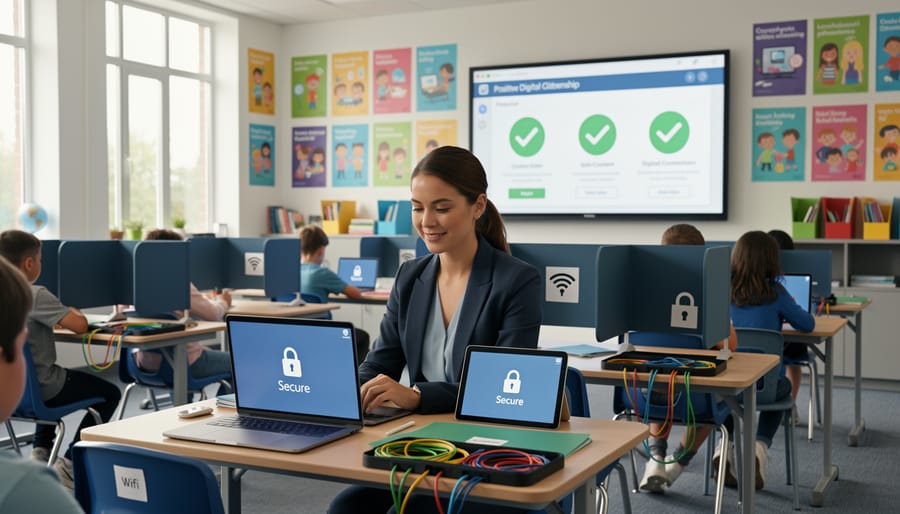
Student devices create unique security challenges that many educators don’t realize exist. When students bring personal phones and tablets into your classroom through Bring Your Own Device (BYOD) programs, each device becomes a potential entry point for threats. These personal devices often lack the security updates, antivirus protection, and content filters that school-issued equipment includes.
Shared school tablets present different risks. Students sometimes save login credentials on these devices, leaving personal information accessible to the next user. They might download apps or games during free time that contain malware or inappropriate content. One compromised shared device can spread problems across your entire classroom network when students log into learning platforms.
School-issued devices with mixed personal and educational use blur security boundaries further. Students who use their school Chromebook for YouTube at home and assignments at school might inadvertently download malicious browser extensions or click phishing links in personal emails. The device doesn’t distinguish between contexts, it simply provides access to your school’s systems regardless of what else students have done on it.
Understanding these device-specific vulnerabilities helps you establish better classroom policies around device usage and storage.
Third-Party App and Platform Weaknesses
Educational apps and platforms can introduce serious security risks even when they seem trustworthy. That colorful quiz tool or engaging virtual classroom might collect student data without proper protection, store information on unsecured servers, or grant excessive access to third-party advertisers.
Before adding any new tool to your classroom, ask three essential questions: Does it require unnecessary student information? Where is the data stored and who can access it? Does it comply with student privacy laws like FERPA and COPPA?
Check if your district maintains an approved app list, IT departments often vet tools before deployment. When exploring new platforms independently, look for clear privacy policies written in understandable language, not buried legal jargon. Be wary of “free” apps that monetize through student data rather than subscriptions.
Pay attention to permission requests. Does that flashcard app really need access to your camera and location? Legitimate educational tools request only what they need to function. When something feels off about an app’s data demands, trust that instinct and find alternatives.
Human Error and Social Engineering
The most sophisticated security system in your school can’t protect against a single click on a convincing fake email. Cybercriminals know this, which is why they target people, not just technology, through social engineering tactics designed to exploit trust and urgency.
Phishing emails aimed at educators often disguise themselves as urgent messages from administrators, IT departments, or educational vendors. They might claim your account needs immediate verification, request you confirm student grades through a suspicious link, or offer free classroom resources that require login credentials. These messages create artificial pressure to act quickly, bypassing your normal caution.
Social engineering attacks work because they manipulate natural human responses. An email appearing to come from your principal asking for gift card purchases, a phone call from “IT support” requesting your password to fix a problem, or a parent email with an unexpected attachment, all exploit your desire to be helpful and responsive.
The good news: awareness is your strongest defense. When you pause before clicking, verify unexpected requests through a different communication channel, and question urgency tactics, you eliminate the human vulnerability these attacks depend on. Teaching your colleagues and students to do the same creates a human firewall more effective than any software alone.
Practical Steps to Strengthen Your Digital Defenses
Keep Everything Updated
Software updates aren’t just about new features, they’re digital patches that fix security holes hackers actively exploit. When your learning management system prompts you to update, it’s closing doors that cybercriminals know how to open. Patching prevents known exploits from being used against your school’s systems.
Enable automatic updates wherever possible. Most devices and applications offer this option in their settings, turning maintenance into a background process that requires no effort from you. For school-issued technology, check with your IT department about update schedules and what happens automatically versus what needs your attention.
Make updates part of your routine. Set aside ten minutes each week to check your classroom devices for pending updates. Do this during planning periods or before students arrive. For apps you use regularly, click “update all” in your device’s app store rather than postponing individual notifications.
If an update seems to cause problems, don’t panic or try to reverse it yourself. Document what changed and contact your IT support immediately, they can troubleshoot far more efficiently than attempting DIY fixes that might create additional vulnerabilities.
Build Strong Authentication Habits
Strong passwords protect your classroom digital resources the same way locked doors protect your physical classroom. Start by creating unique passwords for each educational platform you use, resist the temptation to reuse the same password across multiple sites. A strong password combines letters, numbers, and symbols in a pattern that’s easy for you to remember but hard for others to guess. Consider using a passphrase like “My2Dogs!LoveTreats” instead of a single word.
Multi-factor authentication (MFA) adds a second verification step after your password, like a code sent to your phone. Enable MFA wherever it’s offered, most school email systems, learning management platforms, and educational apps now support it. This extra layer stops unauthorized access even if someone discovers your password.
Model these habits for students every time you log into classroom technology. Talk through your authentication steps out loud: “I’m checking my email for the login code before I can access this.” Teach students to create their own strong passwords and never share login credentials, even with friends. Since students face online targeting through gaming platforms and social media, these authentication skills protect them beyond the classroom. Make password security a regular discussion point, not a one-time lecture, so safe habits become automatic.
Create a Culture of Verification
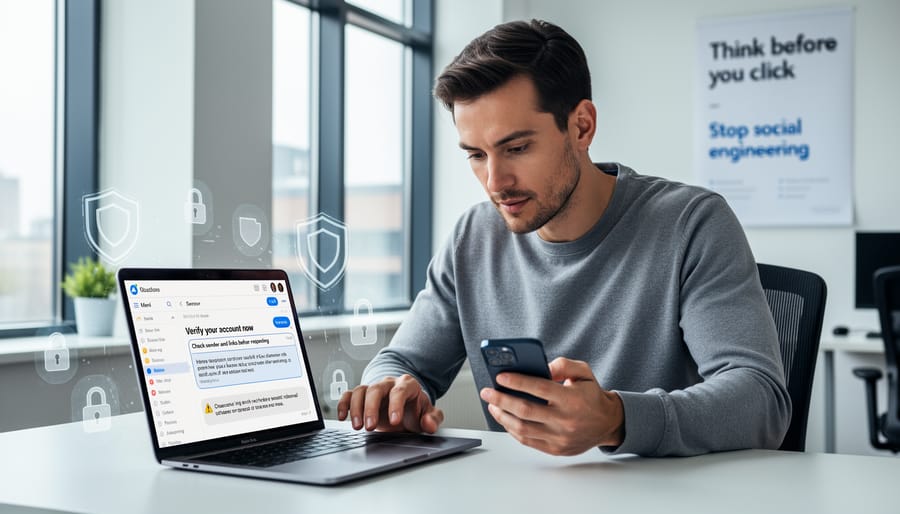
Before clicking any link or responding to an unexpected request, pause and verify. This simple habit prevents most social engineering attacks targeting schools.
Start with sender verification. Does an email claiming to be from your principal use their actual school address, or does it come from a free email service? Check the sender’s full email address, not just the display name. Scammers often use addresses like “principal.johnson@gmaiI.com” (note the capital “i” instead of lowercase “l”) that look legitimate at first glance.
Hover over links without clicking to preview the actual destination URL. If an email says “Click here to update your gradebook login,” but hovering shows a suspicious address unrelated to your school’s system, don’t click. When in doubt, navigate directly to the website by typing the address yourself rather than following the link.
Apply the “too good or too urgent” test. Emails creating artificial urgency (“Your account will be suspended in 24 hours!”) or offering unlikely rewards (“You’ve won a gift card!”) are red flags. Legitimate school communications rarely demand immediate action without prior context.
When you receive unusual requests, even from colleagues, verify through a different communication channel. If your superintendent emails asking you to purchase gift cards, call their office directly using a number you look up yourself, not one provided in the suspicious message. This cross-channel verification catches impersonation attempts that rely on a single compromised account.
Teaching Students About Digital Safety
Age-Appropriate Cybersecurity Lessons
Teaching cybersecurity doesn’t require a technical degree, it just needs age-appropriate framing. In elementary grades, start with password basics: help students create memorable yet strong passwords using favourite colours, animals, and numbers. Use visual aids like password strength metres to show why “Princess123” is weaker than “Purple7Elephants!Dance”. Practice recognizing trusted websites by examining URLs together, pointing out the lock icon and discussing why clicking unknown links is like opening doors for strangers.
Middle school students can grasp more sophisticated concepts. Introduce them to phishing through interactive examples, show fake emails requesting information and ask them to identify red flags like poor grammar, urgent language, or suspicious sender addresses. Role-play scenarios where someone online asks for personal details, reinforcing verification habits. This age group also benefits from understanding data permanence: what they post today follows them tomorrow.
High school learners are ready for threat recognition and digital citizenship responsibilities. Discuss social engineering tactics, from fake college scholarship emails to manipulated peer requests on social media. Examine real breach case studies (without sensationalizing) to illustrate consequences and prevention strategies. Assign projects where students audit their own digital footprints and create action plans to protect students online through peer education campaigns. These lessons transform cybersecurity from abstract concept to practical life skill.
Empowering Student Responsibility
Students become powerful allies in vulnerability mitigation when they understand that cybersecurity isn’t just the IT department’s job. Start by framing digital safety as a shared responsibility, similar to fire drills or school lockdown procedures, everyone plays a part in keeping the community safe.
Teach students to recognize and report unusual digital activity without fear of punishment. Create a simple reporting process: “If you see something strange on a school device or app, tell a teacher immediately.” Explain that reporting a suspicious email, unexpected pop-up, or unfamiliar login request helps protect everyone, not just themselves. Many significant breaches are caught by alert students who notice something doesn’t look right.
Give students concrete examples of what to report: emails asking for password resets they didn’t request, classmates sharing login credentials, messages from “the principal” that seem off, or apps requesting unusual permissions. Role-play scenarios where they practice the decision to report versus ignore.
Establish a no-blame culture around mistakes. When students accidentally click a suspicious link or share a password, they need to feel safe reporting it quickly rather than hiding the error. Frame these moments as learning opportunities: “You noticed the problem and told us right away, that’s exactly what to do.”
Reinforce that being a responsible digital citizen means protecting not just personal information but also the shared resources everyone depends on for learning. This mindset transforms students from potential vulnerabilities into active defenders of school security.
Working With Your IT Department and Administration
Your school’s IT department wants the same thing you do: a safe, functional learning environment. The difference is that they speak a language heavy on acronyms and technical processes, while you’re focused on classroom needs and student outcomes. Bridging that gap starts with establishing a communication culture where both perspectives are valued.
When you notice a potential security issue, report it clearly and specifically. Instead of saying “something seems wrong with the network,” try “students can’t access the reading app, and it’s showing a certificate error.” This gives IT concrete information to work with. Keep a simple log of recurring problems with dates and details. Patterns help technical staff prioritize fixes that affect multiple classrooms.
Don’t hesitate to ask for plain-language explanations when you don’t understand a security directive. IT professionals sometimes forget that terms like “two-factor authentication” or “VPN access” aren’t universal knowledge. A simple “can you explain what that means and why it matters for my classroom?” opens the door to better understanding. Most technical staff appreciate the chance to clarify rather than have policies ignored because they weren’t understood.
Advocate for what your students need by framing security requests in educational terms. Rather than asking for “updated firewall rules,” explain that “students need safe access to this research database for our science unit.” Connect security investments to learning outcomes administrators care about.
When your school lacks dedicated IT support, partner with colleagues to share the responsibility. One teacher might handle software updates, another coordinates with the district tech coordinator, and together you create a support network. Even small schools can build security awareness when educators collaborate rather than work in isolation.
Building Your Ongoing Cybersecurity Awareness Practice
Staying current with cybersecurity doesn’t require hours of daily research or advanced technical training. Instead, establish a simple monthly routine that keeps you informed without adding stress to your already full schedule. Set aside fifteen minutes each month to review security updates from your school district’s IT department and check one trusted educational technology blog for emerging threats relevant to K-12 settings.
Make cybersecurity awareness a collaborative effort rather than an individual burden. Join or create an informal teacher discussion group where you share observations about suspicious emails, new app security concerns, or helpful tips you’ve discovered. This peer learning approach transforms security from an intimidating technical topic into practical classroom knowledge that spreads naturally through your school community.
Consider participating in digital literacy workshops offered through your district or online professional development platforms. These sessions often address current security challenges in language designed for educators, making them valuable for building confidence alongside practical skills. The goal isn’t to become an expert but to stay resilient and maintain awareness that grows steadily over time.
Remember that vulnerability mitigation evolves as technology changes, so flexibility matters more than perfection. When you encounter new tools or platforms, take a moment to ask basic security questions before classroom integration. This habit becomes second nature with practice, protecting both your students and your own peace of mind without demanding extensive technical knowledge.
Resources and Community Support
Finding reliable information about cybersecurity doesn’t mean navigating complex technical documentation. Several organizations create resources specifically for educators who want to strengthen their schools’ digital defenses without becoming IT specialists.
The Cybersecurity and Infrastructure Security Agency (CISA) offers a K-12 Cybersecurity Toolkit designed for educational settings. Their materials translate technical concepts into actionable guidance that fits classroom realities. Common Sense Media provides free digital citizenship curricula that address security topics at every grade level, making it easy to integrate these lessons into your existing instruction.
State educational technology associations often host workshops and webinars focused on practical security measures for schools. These professional development opportunities connect you with fellow educators facing similar challenges, creating networks where you can share strategies that work in real classrooms.
The Teach Find community forum provides a dedicated space where educators discuss cybersecurity concerns, swap solutions, and troubleshoot problems together. Whether you’re wondering how to evaluate a new educational app’s security or need help explaining phishing risks to students, someone in the community has likely tackled that exact situation. This collaborative approach transforms vulnerability mitigation from an overwhelming individual responsibility into a shared professional practice.
Bookmark a few trusted security blogs written for non-technical audiences. Make checking them a monthly habit, just like reviewing your lesson plans. Small, consistent learning beats cramming technical information you’ll never use.
Vulnerability mitigation isn’t reserved for IT specialists or cybersecurity experts. It belongs to every educator who wants to create a safer digital environment for their students. The steps you’ve explored throughout this guide prove that protecting your classroom doesn’t require a computer science degree or hours of technical training. It requires awareness, consistent habits, and a willingness to ask questions when something seems off.
You already possess the most important qualification for effective cybersecurity: your commitment to student safety. The same instincts that help you recognize when a student needs support or when a classroom situation requires attention also guide you in spotting digital risks. Trust those instincts. When an email feels suspicious, verify it. When a new app requests excessive permissions, question it. When students share concerning online behavior, address it.
Remember that vulnerability mitigation is not a one-time task but an ongoing practice. Technology evolves, threats change, and new challenges emerge. Stay curious rather than overwhelmed. Small improvements compound over time into meaningful protection.
You don’t have to navigate this journey alone. The Teach Find community forum connects you with fellow educators who share your challenges and celebrate your successes. Join conversations, ask questions, and contribute your own experiences. Together, we build stronger digital defenses and empower each other to protect the students who depend on us.