Start by embedding 5-minute cybersecurity scenarios into existing lesson plans across all subjects—have English students identify phishing attempts in sample emails, math classes calculate data breach costs, or social studies discussions explore digital citizenship consequences. This cross-curricular approach builds security awareness without adding separate class periods to already packed schedules.
Transform students into your school’s first line of defense by implementing a peer educator program where older students lead age-appropriate security workshops for younger grades. Fifth graders can teach second graders about password strength using simple analogies like “locks on houses,” while high schoolers demonstrate two-factor authentication setup to middle school students, creating a cascading effect of knowledge throughout your building.
Establish monthly “security challenge” activities that turn threat recognition into engaging practice. Create mock scenarios where students spot fake login pages, identify suspicious links in simulated social media posts, or participate in “spot the security risk” photo hunts around school computer labs. These hands-on experiences build muscle memory for real-world digital decision-making far more effectively than passive presentations.
Connect security training to your students’ lived experiences by discussing the apps, games, and platforms they actually use daily. When you address Roblox scams, TikTok privacy settings, or Discord server safety, you’re meeting students in their digital reality rather than teaching abstract concepts. This relevance transforms security awareness from something adults lecture about into practical knowledge students recognize they need.
Build your confidence alongside your students by starting small with just one security topic per month. You don’t need technical expertise to facilitate discussions about creating strong passwords, recognizing suspicious messages, or thinking critically before clicking links. Your role is guiding digital citizenship conversations, not becoming a cybersecurity expert, and that accessibility makes sustainable, school-wide culture change possible.
Why Cybersecurity Awareness Belongs in Every Classroom

The Real Threats Facing Your Students
Your students face a digital landscape filled with threats specifically designed to exploit their trust and inexperience. Understanding these real-world dangers helps you prepare effective lessons that resonate with their daily experiences.
Cyberbullying remains one of the most immediate concerns, with students using messaging apps, social media, and gaming platforms to harass peers. This behavior often escalates because young people don’t fully grasp the permanence and reach of digital communication.
Credential theft targets students through convincing fake login pages for popular platforms like Google Classroom, Roblox, or TikTok. These phishing attempts are increasingly sophisticated, mimicking legitimate sites to steal usernames and passwords that can compromise school accounts and personal information.
Inappropriate sharing poses serious risks when students post personal details, location data, or images without understanding privacy implications. Young users often share home addresses, phone numbers, or school schedules publicly, making them vulnerable to strangers with harmful intentions.
Social engineering tactics adapted for young audiences are particularly concerning. Scammers create fake profiles of peers, offer free gaming currency or followers, or use trendy challenges to manipulate students into revealing sensitive information or downloading malware.
These threats aren’t theoretical—they’re happening in schools every day. The good news is that with proper awareness training, you can equip your students with the critical thinking skills needed to recognize and avoid these dangers. By addressing these specific threats through age-appropriate lessons, you’re building a foundation of digital literacy that will protect students throughout their lives.
Building a Foundation for Lifelong Digital Safety
When you introduce cybersecurity awareness training in your classroom today, you’re doing much more than teaching students to create strong passwords or recognize phishing emails. You’re establishing fundamental habits that will safeguard their digital presence for decades to come.
Think of early cybersecurity education as similar to teaching students to look both ways before crossing the street. These safety practices become automatic responses that protect them in countless situations throughout their lives. As students progress from elementary school to college and eventually into their careers, the digital literacy skills they develop now will serve as their first line of defense against evolving cyber threats.
The beauty of starting this training early is that students internalize security-conscious thinking before developing risky habits. They learn to question suspicious links, protect personal information, and think critically about their online interactions. These aren’t just technical skills—they’re life skills that promote responsible digital citizenship.
By integrating security awareness into your curriculum, you’re preparing students for a world where their academic records, financial information, professional communications, and personal relationships will increasingly exist online. You’re giving them tools they’ll use every single day.
Core Cybersecurity Concepts Made Simple for Young Learners

Password Power: Teaching Strong Authentication Habits
Teaching students about password security doesn’t have to be overwhelming. Start by making it relatable: compare passwords to house keys that protect valuable belongings. For elementary students, introduce the concept through storytelling and simple rules like using a mix of letters and numbers. Middle schoolers can learn about passphrases by creating memorable sentences where each word’s first letter forms their password.
Create engaging classroom activities that demonstrate password strength. Try interactive games where students guess weak passwords versus strong ones, helping them understand why “password123” won’t protect their accounts. Use visual aids showing how longer passwords with varied characters create stronger barriers against unauthorized access.
Address the critical topic of credential sharing by emphasizing that passwords are personal, even among friends. Role-playing scenarios can help students practice saying no when asked to share login information. For older students, introduce password managers as organizational tools that make security manageable.
Consider establishing a classroom password creation challenge where students develop strong passwords for fictional accounts, then explain their strategies. This hands-on approach builds confidence while reinforcing best practices. Remember to emphasize that these habits extend beyond school, protecting their gaming accounts, social media, and future professional credentials.
Recognizing Phishing and Social Engineering Attempts
Teaching students to spot suspicious communications is one of the most valuable digital literacy skills you can provide. The good news is that you don’t need technical expertise to help students recognize red flags—just a simple framework they can remember and apply.
Start with the STOP method: Stop before clicking, Think about what’s being requested, Observe for warning signs, and Protect yourself by verifying first. This easy-to-remember approach works for emails, text messages, social media requests, and even in-person interactions.
Help students identify common warning signs: urgent language demanding immediate action, requests for passwords or personal information, unexpected links or attachments, poor spelling or grammar, and sender addresses that don’t quite match legitimate sources. Practice with real examples during classroom discussions, using sanitized versions of actual phishing attempts your school has received.
Create interactive scenarios where students evaluate whether messages are legitimate. For instance, would their teacher really email asking for login credentials? Would a gaming platform request payment through unusual methods? These activities build critical thinking skills that extend beyond cybersecurity.
Encourage students to develop a verification habit—when in doubt, check directly with the supposed sender through a known contact method rather than replying to suspicious messages. This principle applies equally to protecting school information and personal data. Remember, fostering healthy skepticism isn’t about creating fear; it’s about empowering students to make informed decisions in digital spaces.
Personal Information Protection in a Sharing Culture
Today’s students are natural sharers, comfortable posting updates, photos, and personal moments online. While this openness fosters connection, it also creates security vulnerabilities. As educators, you can guide students toward balanced digital citizenship by helping them understand the difference between shareable and private information.
Start with concrete examples students can relate to. Full names, addresses, phone numbers, school locations, and family details should remain private. Discuss why seemingly innocent posts—like vacation photos or location tags—can reveal too much. Create classroom discussions around scenarios: “What could someone learn about you from your last five posts?” This approach helps students think critically about their digital footprint.
Social media safety connects directly to digital well-being. Teach students to review privacy settings regularly and understand that “friends of friends” can mean hundreds of strangers. Encourage them to pause before posting and ask: Would I be comfortable with my teacher, grandparent, or future employer seeing this?
Consider establishing a classroom social media audit activity where students anonymously evaluate sample profiles, identifying oversharing risks. This interactive approach builds awareness without judgment. Remember, your goal isn’t to discourage online participation but to empower students to share thoughtfully and protect themselves effectively in digital spaces.
Practical Classroom Strategies for Security Awareness Training
Interactive Activities That Make Security Training Stick
Bringing security concepts to life through interactive activities transforms abstract ideas into memorable, practical skills your students can apply immediately. Consider starting with phishing email simulations where students analyze sample messages in small groups, discussing red flags like suspicious sender addresses, urgent language, or unusual requests. Create a classroom “Spot the Scam” game using real-world examples (with identifying details removed) that students can examine safely without risk.
Password creation challenges work wonderfully as hands-on exercises. Have students practice building strong passwords using techniques like passphrases, then test their creations using age-appropriate strength checkers. Role-playing scenarios help students practice appropriate responses when encountering suspicious situations, such as finding an unfamiliar USB drive or receiving an unexpected friend request.
Digital escape rooms offer engaging ways to reinforce multiple security concepts simultaneously, requiring students to solve security-related puzzles to progress. Many AI-powered tools now make creating customized simulations easier than ever, adapting difficulty levels to your students’ needs without requiring technical expertise.
Consider establishing a classroom security challenge board where students earn recognition for identifying security risks in their daily digital activities. This ongoing engagement keeps security awareness front-of-mind beyond formal lessons. Interactive quizzes using platforms like Kahoot or Quizizz add friendly competition while assessing understanding. Remember, the goal is making security awareness second nature through repeated, varied practice in supportive environments where mistakes become valuable learning opportunities rather than actual vulnerabilities.

Cross-Curricular Integration Opportunities
Cybersecurity naturally fits into multiple subject areas, transforming it from a standalone topic into a thread woven throughout your students’ daily learning experiences. In language arts classes, students can analyze phishing emails for persuasive language techniques, write narratives about digital citizenship scenarios, or debate privacy issues through structured discussions. This approach strengthens both literacy skills and critical thinking about online safety.
Social studies offers rich opportunities to explore cybersecurity’s societal impact. Students can research how different countries approach internet privacy, examine the ethical dimensions of data collection, or investigate historical events like major data breaches and their consequences. These discussions naturally connect to civics, current events, and global awareness while building security consciousness.
Even math classes can reinforce security concepts. Students might calculate the probability of password combinations to understand strength requirements, graph data breach statistics over time, or use percentages to analyze survey results about online behaviors. These real-world applications make mathematical concepts more engaging while emphasizing security principles.
Science and technology classes can explore encryption basics, examine how networks function, or investigate the environmental impact of cryptocurrency mining. By integrating cybersecurity across subjects, you create multiple touchpoints throughout the school day, helping students recognize that digital safety isn’t just an IT concern but a fundamental life skill relevant to every discipline they study.
Age-Appropriate Differentiation Strategies
Teaching IT security effectively means meeting students where they are developmentally. For elementary students (grades K-5), focus on foundational concepts through storytelling and play-based learning. Use analogies like “digital strangers” to explain online safety, and incorporate games that teach password strength and privacy basics. Visual aids, picture books about internet safety, and classroom discussions about feelings help younger learners understand why protecting information matters.
Middle school students (grades 6-8) benefit from more interactive approaches that acknowledge their growing independence online. This age group responds well to scenario-based learning where they navigate real-world situations like suspicious emails or social media requests. Peer discussions and small group projects encourage critical thinking about digital footprints and privacy settings. Consider creating classroom challenges where students identify phishing attempts or analyze social engineering tactics in age-appropriate contexts.
High school students (grades 9-12) are ready for sophisticated conversations about cybersecurity careers and authentic applications. Engage them through case studies of actual data breaches, student-led security audits of school systems, and projects exploring ethical hacking concepts. Connect lessons to their heavy technology use patterns, including mobile apps, social platforms, and online banking. Invite them to become security ambassadors who can teach younger students, reinforcing their own knowledge while building leadership skills that prepare them for college and career readiness.
Building Your School’s Cybersecurity Culture
Collaborating with IT Staff and Administrators
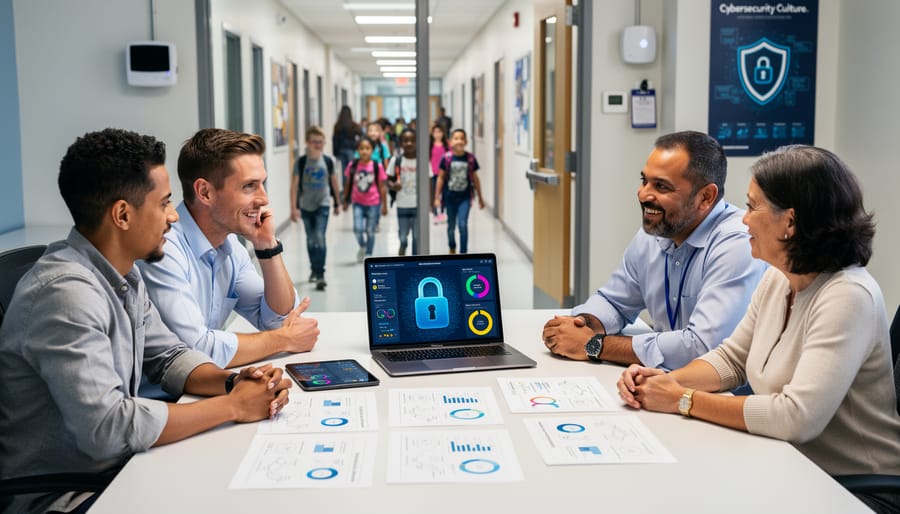
Building a strong partnership with your school’s IT staff creates the foundation for effective security awareness training. Your IT team understands the technical infrastructure and security policies that protect your school, while you bring expertise in translating complex concepts into student-friendly lessons. Together, you can create a comprehensive approach that reinforces safe practices across all learning environments.
Start by scheduling a meeting with your IT administrators to understand current security challenges specific to your school. Ask about recent incidents, common password issues, or phishing attempts they’ve observed. This information helps you tailor classroom examples to real situations students might encounter. Your IT team can also share which security tools students use daily, from filtered networks to learning management systems, allowing you to incorporate these familiar platforms into your lessons.
Invite IT staff to participate in planning sessions, where collaborative leadership strategies can strengthen your program. They might offer guest presentations, create student-appropriate handouts about school policies, or suggest interactive demonstrations. Consider establishing a shared resource folder where both educators and IT personnel contribute age-appropriate materials, troubleshooting guides, and success stories.
Regular communication keeps everyone aligned. Brief your IT team before launching new security lessons so they can anticipate student questions. Similarly, ask them to inform you about policy updates or emerging threats. This ongoing dialogue ensures your classroom instruction remains current, relevant, and fully supported by your school’s technical infrastructure.
Engaging Parents and Families
Cybersecurity protection extends beyond school hours, making family engagement essential to your students’ digital safety. By partnering with parents and guardians, you create a consistent safety net that reinforces classroom lessons at home.
Start by hosting family information nights or virtual sessions that introduce basic cybersecurity concepts in welcoming, non-technical terms. Share simple takeaways like recognizing suspicious emails, creating strong passwords, and discussing online experiences openly. These gatherings also provide opportunities for parents to ask questions and share concerns in a supportive environment.
Develop a resource library that families can access anytime, including tip sheets, video tutorials, and age-appropriate conversation starters about digital safety. Send regular newsletters highlighting current online threats and practical prevention strategies, using effective communication strategies that respect diverse family structures and technological comfort levels.
Consider creating a dedicated community forum where families can connect, share experiences, and learn from one another. When parents understand the digital landscape their children navigate, they become empowered partners in fostering safer online habits that protect students both at school and home.
Creating Student Leadership Opportunities
Empowering students as digital safety leaders creates lasting impact throughout your school community. When young people take ownership of cybersecurity awareness, they become authentic voices their peers trust and listen to.
Start by establishing a Digital Safety Ambassador program where interested students receive specialized training in current security topics. These ambassadors can create peer-to-peer learning opportunities through lunch-and-learn sessions, morning announcements, or schoolwide campaigns. Students often communicate security concepts more effectively than adults because they understand their peers’ digital habits and concerns.
Encourage student-led initiatives like creating awareness posters, producing short video tutorials, or developing interactive quizzes for younger grades. These projects build leadership skills while reinforcing their own understanding of security practices.
Consider forming a student advisory council that provides feedback on your school’s technology policies and helps identify emerging digital threats relevant to their age group. This collaborative approach ensures your security training remains current and resonates with student experiences.
Recognize and celebrate student contributions through certificates, showcase events, or featuring their work on school platforms. When students see their leadership valued, they inspire others to join the effort, creating a ripple effect of security awareness across your entire school community.
Resources and Tools to Support Your Teaching
You don’t have to navigate IT security awareness training alone. A wealth of resources exists to support you at every step, from planning your first lesson to sustaining year-round engagement with these essential concepts.
Start with ready-made lesson plans from organizations like Common Sense Education, which offers free, grade-specific curriculum materials covering digital citizenship and online safety. The National Cybersecurity Alliance provides K-12 resources during Cybersecurity Awareness Month each October, including presentation templates and activity guides you can adapt immediately.
For interactive tools that bring security concepts to life, explore platforms like Be Internet Awesome from Google, which gamifies learning about phishing, password security, and privacy. Interland, its accompanying game, lets students practice security skills in engaging scenarios. Cybersecurity & Infrastructure Security Agency (CISA) offers youth-focused resources, including videos and infographics that simplify complex topics without talking down to students.
Professional development opportunities help you build confidence in teaching these subjects. Many state educational technology associations offer workshops on digital safety and security. Online courses through platforms like ISTE and Coursera provide flexible learning options that fit your schedule.
Community forums transform your teaching practice through shared wisdom. Join the Cybersecurity Education Community on Facebook, where thousands of educators exchange ideas, troubleshoot challenges, and celebrate successes. Reddit’s r/Teachers and r/edtech communities regularly discuss security awareness strategies. The Common Sense Education Educator Network connects you with peers implementing similar programs, offering both inspiration and practical solutions.
Local resources matter too. Reach out to your district’s IT department, which may provide customized training materials or guest speakers. Regional educational service centers often coordinate professional learning communities focused on digital literacy and safety.
Remember, every resource you explore strengthens your ability to protect your students in an increasingly digital world. Start with one tool or community that resonates with your teaching style, then expand from there as your confidence grows.
You don’t need to be a cybersecurity expert to make a meaningful difference in your students’ digital safety. The journey toward comprehensive IT security awareness in your classroom begins with a single conversation, one lesson, or even a simple reminder about password strength. Every small step you take builds a foundation that protects your students now and prepares them for a technology-driven future.
Remember, effective cybersecurity education isn’t about memorizing technical protocols or understanding complex systems. It’s about developing critical thinking skills, fostering healthy digital habits, and creating an environment where students feel comfortable asking questions about online safety. Your expertise in connecting with students and making learning relevant gives you everything you need to teach these essential concepts.
Start where you are. Choose one strategy from this guide that resonates with your teaching style and implement it this week. Perhaps it’s a five-minute discussion about phishing emails, a quick activity about creating strong passwords, or simply modeling good digital citizenship in your own classroom practices. These seemingly modest efforts compound over time, creating lasting behavioral changes in your students.
You’re not alone in this endeavor. The Teach Find community offers ongoing support, resources, and connections with fellow educators navigating the same challenges. Share your experiences, discover new approaches, and access interactive tools designed specifically for classroom implementation. Together, we’re building a generation of digitally aware, security-conscious students who can navigate the online world with confidence and caution. Your commitment to this work matters more than you might realize.