Curate a playlist of age-appropriate interactive YouTube games by searching terms like “kindergarten counting game interactive” or “alphabet click-along” that allow students to respond vocally or through movement rather than requiring device clicks. Preview each video for appropriateness, checking that instructions are clear, pacing matches kindergarten attention spans (5-7 minutes maximum), and content aligns with your learning objectives before classroom use.
Transform passive screen time into active learning experiences by projecting YouTube interactive games onto your classroom board and facilitating whole-group participation. Pause videos at decision points to allow students to discuss answers with partners, use individual whiteboards to show responses, or physically move to different areas of the classroom based on their choices. This approach maximizes the benefits of game-based learning while maintaining teacher control and promoting social interaction.
Organize YouTube games into themed stations during center time, with each station addressing different kindergarten standards like phonics, number recognition, or shape identification. Assign parent volunteers or instructional assistants to monitor stations, or teach students simple protocols for independent use with headphones. Rotate students through 10-minute intervals to maintain engagement and expose them to varied content.
Document student progress by creating simple observation checklists that track which concepts students grasp during interactive game sessions. Note which students need additional support, which games generate the most engagement, and how digital activities compare to traditional manipulative-based lessons. This data informs your instructional decisions and helps justify technology integration to administrators and parents.
Why YouTube Interactive Games Work for Kindergarten Learners
YouTube interactive games align beautifully with how kindergarteners naturally learn and develop. At ages 5-6, children are at a unique developmental stage where they’re building foundational skills while still requiring engaging, playful experiences to maintain focus and motivation.
The attention span of a typical kindergartener ranges from 10-15 minutes for structured activities. YouTube interactive games respect this reality by offering brief, focused learning segments that children can complete successfully. These short bursts of engagement prevent cognitive overload while building stamina for longer learning sessions over time. When you select games that last 5-10 minutes, you’re working with your students’ natural rhythms rather than against them.
Visual learning dominates in early childhood, with young learners processing images and colors far more effectively than text alone. Interactive games leverage this preference through colorful characters, animated demonstrations, and immediate visual feedback. When a kindergartener clicks the correct answer and sees a star appear or hears encouraging music, they’re receiving instant reinforcement that strengthens neural pathways and builds confidence.
Game-based learning theory suggests that children learn best when they’re actively involved rather than passively receiving information. This principle, sometimes called “learning by doing,” comes alive in interactive formats where students must respond, make choices, and solve problems. The structure of these games provides clear objectives and rules, which kindergarteners need for security and understanding, while the playful elements maintain joy and curiosity.
The balance between structure and play is especially critical at this age. Too much rigidity can stifle natural enthusiasm, while too little guidance can overwhelm developing minds. Quality YouTube interactive games thread this needle by embedding educational content within game mechanics that feel fun and rewarding. Your students are practicing letter recognition, counting, or pattern identification without experiencing it as drill work.
This approach honors both the capabilities and limitations of kindergarten learners, creating pathways to academic success that feel natural and enjoyable.

The Benefits of Integrating YouTube Games Into Your Daily Routine
Incorporating YouTube interactive games into your kindergarten classroom offers remarkable advantages that directly address the practical realities you face every day. These digital resources provide immediate access to quality educational content without requiring budget approvals or lengthy procurement processes. With just an internet connection and a display device you already have in your classroom, you can tap into thousands of engaging learning experiences at absolutely no cost.
The flexibility these games provide transforms how you organize your classroom. Whether you’re running literacy centers, creating quiet activity stations during transitions, or providing options for early finishers, YouTube games adapt seamlessly to your existing structure. You can queue up several videos on different devices or rotate groups through a single station, accommodating various class sizes and room configurations without additional planning overhead.
What makes these resources particularly valuable is their ability to support multiple developmental domains simultaneously. A single counting game reinforces number recognition while building fine motor skills through participation movements and developing social-emotional skills when children play together. This integrated approach means you’re addressing several learning objectives within one activity, maximizing your instructional time.
The accessibility extends beyond cost savings. These games require minimal technical expertise to implement, allowing you to focus your energy on facilitating learning rather than troubleshooting complicated software. You can preview content quickly, swap out activities that aren’t working, and respond to your students’ emerging interests in real time. This responsive approach empowers you to differentiate instruction naturally, meeting diverse learners where they are without creating entirely separate lesson plans. For busy educators managing countless responsibilities, this practical efficiency makes quality interactive learning achievable every single day.
Top Categories of YouTube Interactive Games for Kindergarten
Phonics and Early Literacy Games
YouTube offers numerous phonics and early literacy games that transform foundational reading skills into engaging, interactive experiences for your kindergarten students. These games typically focus on letter recognition, where children identify uppercase and lowercase letters through colorful animations and repetitive practice. Sound blending activities help learners connect individual phonemes to create words, building essential decoding skills through call-and-response formats that encourage active participation.
Sight word games present high-frequency words in memorable contexts, often incorporating movement breaks where children jump, clap, or dance when they recognize specific words. Many channels design these games with automatic pausing features, giving students time to respond before revealing answers. This built-in wait time supports processing and builds confidence, especially for emerging readers who need extra moments to recall information.
When selecting phonics games, look for videos that use clear pronunciation, display words in large, easy-to-read fonts, and incorporate visual cues like color-coding or picture supports. The best options repeat content multiple times within a single session, reinforcing learning through varied presentation styles. You can easily differentiate instruction by choosing videos that match your students’ current phonics phase, whether they’re working on initial sounds, digraphs, or more complex word families.
Math and Number Sense Activities
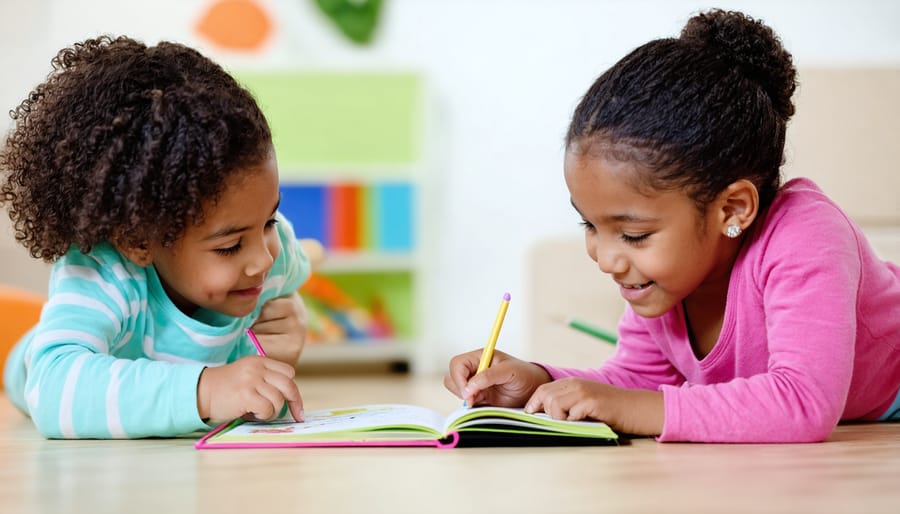
YouTube offers wonderful opportunities for kindergarteners to develop early math skills through engaging, interactive content. Counting games form the foundation, with channels presenting colorful animations where children click on objects to count along, reinforcing number recognition from 1-20. Shape recognition activities help students identify circles, squares, triangles, and rectangles through interactive sorting games and virtual shape hunts that respond to their selections.
Pattern activities are particularly effective when presented as interactive challenges. Students can click to complete AB, ABB, and ABC patterns using colors, shapes, or objects, building critical thinking skills. For basic addition and subtraction, look for videos featuring interactive number lines and visual manipulatives like virtual counting blocks or fruit baskets where children solve simple problems and receive immediate feedback.
When selecting math-focused YouTube content, prioritize channels that incorporate multiple representations of mathematical concepts. The most effective videos allow students to pause and respond, making the learning active rather than passive. Consider pairing these digital activities with hands-on manipulatives so students can physically recreate what they see on screen, strengthening their conceptual understanding through multiple modalities.
Movement and Brain Break Games
Keeping kindergarteners engaged during transitions or after focused learning time becomes much easier with movement-based interactive videos. These brain break resources combine physical activity with learning objectives, helping students release energy while reinforcing concepts like counting, letter recognition, and following directions.
Popular channels like GoNoodle and Jack Hartmann offer extensive libraries of action songs and movement videos designed specifically for young learners. Students can practice counting while jumping, review letter sounds through dance moves, or practice gross motor skills with freeze dance variations. The interactive elements encourage participation, making these videos more engaging than passive screen time.
These videos serve multiple purposes in your kindergarten classroom. Use them as energizing transitions between subjects, calming activities before rest time, or rewards for completing tasks. Many educators find that five-minute movement breaks improve focus and behavior during subsequent lessons, making them valuable classroom management tools.
When selecting movement videos, look for those with clear instructions, age-appropriate music, and content that aligns with your current curriculum. Consider creating a playlist of favorites for quick access during your school day. This proactive approach ensures smooth transitions and maintains instructional momentum while meeting your students’ developmental need for physical activity throughout the day.

Social-Emotional Learning Experiences
YouTube offers wonderful interactive content that helps kindergarteners develop crucial social-emotional skills through engaging storytelling and decision-making scenarios. These videos pause at key moments, inviting children to identify emotions on characters’ faces, suggest solutions to conflicts, or predict how someone might feel in different situations.
Look for channels featuring animated characters navigating friendship challenges, sharing toys, or managing big feelings like disappointment or excitement. These social-emotional learning activities provide safe spaces for students to practice empathy and problem-solving without real-world consequences.
Choice-based adventures work particularly well, where students vote on what a character should do next. This format encourages discussion about why certain choices might be kinder or more helpful than others. You can pause videos for classroom conversations, asking students to share similar experiences or alternative solutions.
Consider creating a feelings chart nearby where students can point to emotions they notice in the videos. This bridges digital learning with tangible classroom tools, reinforcing emotional vocabulary throughout the day. These interactive experiences build the foundation for positive peer relationships and self-awareness that kindergarteners need.
Science and Discovery Games
Science and Discovery Games transform your kindergarten classroom into a vibrant laboratory where young learners explore the natural world through guided, interactive experiences. These YouTube videos feature clickable elements that let children make predictions, observe cause and effect, and develop foundational scientific thinking skills.
Animal habitat explorations allow students to click on different environments and discover which creatures live there, building vocabulary and classification skills. Weather-themed videos invite children to dress characters appropriately for different conditions or predict what happens when clouds form. Plant life cycle videos let students water virtual seeds and watch growth stages unfold based on their choices.
Simple experiment videos work exceptionally well for whole-class participation. Students can vote on what will happen when colors mix or which objects will sink or float, then immediately see results. This immediate feedback reinforces the scientific method in age-appropriate ways.
These resources shine brightest when you pause for discussion, asking students to explain their thinking before making selections. Consider creating a science journal where children draw what they discovered during each interactive session, connecting digital exploration with hands-on documentation that supports literacy development alongside scientific inquiry.
How to Set Up YouTube Interactive Games in Your Classroom
Setting up YouTube interactive games in your kindergarten classroom is simpler than you might think, and with the right approach, these interactive technologies can transform your learning environment.
Start with the technical basics. Ensure you have a reliable internet connection and a display system that all students can see clearly—whether that’s a projector, interactive whiteboard, or large-screen TV. Test your audio beforehand, as many interactive games rely on sound cues and music to engage young learners. Bookmark your chosen games in a dedicated folder for easy access, and consider creating a YouTube playlist of your go-to educational content to streamline transitions between activities.
For classroom management, establish clear expectations before introducing games. Create a simple visual schedule showing when game time occurs during your day, helping students understand it as a structured learning activity rather than free play. Position students so everyone has an equal view of the screen, arranging them in a semicircle or on a carpet area. Designate response methods ahead of time—will students call out answers, use hand signals, or take turns? Consistency here prevents chaos and keeps learning on track.
Structure your game-based sessions thoughtfully. Begin with a brief introduction explaining the learning goal in kid-friendly language. For a five to ten-minute game session, spend the first minute reviewing instructions, allow six to eight minutes for active gameplay, and reserve two minutes for reflection. Ask questions like “What did we learn?” or “Which part was tricky?” to reinforce concepts and build metacognitive skills.
Maximize effectiveness by differentiating your approach. Pair struggling students with confident peers during participation activities. Pause videos when needed to check understanding or provide additional support. Use the same game multiple times throughout a unit—repetition builds confidence and mastery in kindergarteners.
Finally, maintain flexibility. If a game isn’t working, don’t force it. Keep backup options ready and remember that student engagement is your best indicator of success. With these strategies in place, YouTube interactive games become powerful tools for creating joyful, effective learning experiences.
Making Interactive Games Work for All Learners
Interactive YouTube games offer tremendous learning potential, but only when every student can meaningfully participate. Creating an inclusive game-based environment requires intentional planning and flexible implementation that honors each child’s unique needs and abilities.
Begin by applying differentiation strategies that allow multiple entry points. For games requiring verbal responses, offer alternatives like pointing, drawing, or using simple gestures. Consider pairing students strategically so stronger readers can support peers still developing literacy skills. Adjust pacing by pausing videos frequently for processing time or replaying sections as needed.
Supporting English language learners becomes easier when you preview key vocabulary before gameplay and use visual supports alongside verbal instructions. Select games with clear visual cues and minimal language barriers. Bilingual partners or translation tools can help bridge communication gaps during collaborative activities.
Sensory considerations matter tremendously for kindergarteners. Some children may find bright animations or loud sound effects overwhelming, while others need that stimulation to stay engaged. Provide noise-canceling headphones for sensitive students and create a designated quiet viewing area. For students who need movement, incorporate physical responses into gameplay or allow standing participation.
Ensure equitable access by rotating device responsibilities when using tablets or computers. Every child should have opportunities to interact directly with the technology rather than always observing. For whole-class games on larger screens, use response cards or mini whiteboards so all students can participate simultaneously rather than calling on individual children.
Finally, gather feedback from students about what helps them learn best during game activities. Even young learners can communicate their preferences when asked directly, helping you continuously refine your approach to meet everyone’s needs effectively.
Measuring Learning Outcomes and Student Progress
Tracking student progress during game-based learning doesn’t need to be complicated. Simple, practical assessment strategies can help you understand whether these interactive experiences are truly supporting your instructional goals.
Start with observation checklists tailored to specific skills. While students engage with YouTube interactive games, note whether they correctly identify letters, count objects accurately, or demonstrate understanding of colors and shapes. Create a simple grid with student names and target skills, then quickly mark progress as you circulate. This real-time documentation captures learning moments that might otherwise go unnoticed.
Screen recordings offer valuable insights when students play games independently. Many devices allow you to capture brief clips showing how children navigate challenges and problem-solve. Review these later to identify misconceptions or celebrate breakthrough moments you might have missed during busy classroom time.
Informal verbal check-ins work wonderfully with kindergarteners. After game sessions, ask open-ended questions like “What did you learn today?” or “Can you show me what you practiced?” Their responses reveal comprehension levels and help you adjust future activities accordingly.
Consider creating a simple portfolio system where students demonstrate skills learned through games in other contexts. If they practiced number recognition through an interactive counting game, can they now identify those numbers in books or during calendar time? This transfer of knowledge indicates meaningful learning.
Remember, assessment in kindergarten should feel natural and encouraging. These strategies provide valuable data while keeping the joy of learning intact, ensuring your game-based activities genuinely support student growth and development.
Common Challenges (And How to Solve Them)
Even the most thoughtfully planned digital activities come with challenges. Here’s how to address the most common concerns when using YouTube interactive games in your kindergarten classroom.
Screen time limitations often worry educators and parents alike. The solution lies in intentionality and moderation. Set clear time boundaries, keeping sessions to 10-15 minutes for individual activities. Use YouTube games as one component of a broader lesson plan rather than the main event. For example, follow a five-minute counting game with hands-on manipulatives that reinforce the same concept. This approach respects screen time guidelines while maximizing learning impact.
Technical difficulties can derail even the best-prepared lesson. Prepare backup plans by downloading videos when possible or having alternative offline activities ready. Test all links before class begins and bookmark reliable channels. Create a simple troubleshooting guide for common issues like frozen screens or audio problems. Consider designating a tech-savvy volunteer parent or older student as your classroom technology helper.
Maintaining student focus during digital activities requires strategic planning. Position yourself where you can see all screens and students. Pause videos frequently to ask questions or prompt physical responses. Use the YouTube pause button as a teaching tool, stopping to discuss what students just learned before continuing. Keep activities short and transition quickly to related hands-on experiences.
Balancing digital with hands-on learning ensures well-rounded instruction. For every digital activity, plan corresponding tactile experiences. If students watch a shapes video, follow with physical shape sorting. After a phonics game, have them form letters with playdough. This integration strengthens learning while providing the sensory experiences kindergarteners need.
Remember, these challenges become easier with practice. Start small, learn from each session, and adjust your approach based on what works for your unique classroom community.
YouTube interactive games offer an accessible and effective gateway to integrated game-based learning in your kindergarten classroom. These free, readily available resources require minimal setup while delivering meaningful educational experiences that capture young learners’ attention and support their developmental growth. The beauty of this approach lies in its flexibility—you can start with just one game per week during circle time and gradually expand as you become more comfortable with the technology and observe what resonates with your students.
Don’t feel pressured to overhaul your entire teaching approach overnight. Experiment with different game types, observe how your students respond, and adapt accordingly. What works beautifully in one classroom might need tweaking in another, and that’s perfectly normal. The key is maintaining a balance between digital engagement and traditional hands-on activities that kindergarteners need.
Consider connecting with fellow educators who are navigating similar challenges and discoveries. Sharing what works—and what doesn’t—creates a supportive network that benefits everyone. For additional game recommendations, implementation tips, and ongoing discussions with other teachers, explore the community forums at Teach Find. You’ll find educators eager to exchange ideas and celebrate successes together as you enhance your kindergarten learning environment.