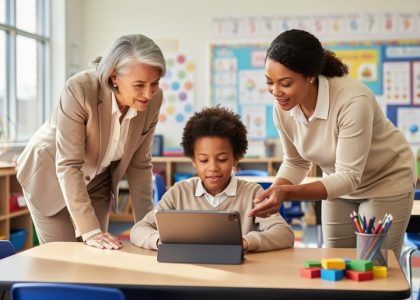
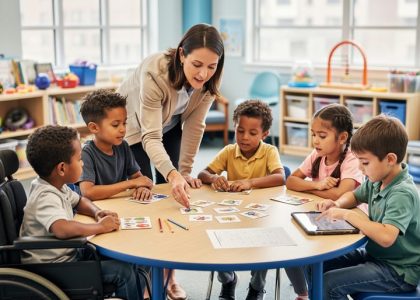
Transform your classroom into a dynamic learning environment where every student feels valued and empowered to succeed. Creating tech-enabled inclusive classrooms requires a deliberate approach that celebrates diversity while ensuring equal access to learning opportunities.
Modern inclusive education extends far beyond physical accessibility—it encompasses cultural responsiveness, learning style adaptations, and technological integration that supports various learning needs. By implementing universal design principles, differentiating instruction, and leveraging adaptive technologies, educators can create spaces where students of all abilities thrive together.
Research consistently shows that inclusive classrooms benefit all students, not just those with specific learning needs. When students learn alongside peers with diverse perspectives and abilities, they develop stronger social skills, greater empathy, and a deeper understanding of human differences. This collaborative environment prepares them for success in our increasingly interconnected world.
The key to successful inclusion lies in viewing diversity as an asset rather than a challenge. Through thoughtful planning, ongoing assessment, and flexible teaching strategies, educators can create learning environments that honor individual differences while maintaining high expectations for all students.
Creating a Digital Environment That Welcomes All Learners

Universal Design for Learning (UDL) in Digital Spaces
In today’s digital classrooms, implementing Universal Design for Learning principles ensures that technology enhances learning for all students. This framework helps create flexible learning environments that accommodate diverse learning styles and needs. By incorporating multiple means of engagement, representation, and action/expression, digital tools become powerful allies in inclusive education.
Consider using text-to-speech features for reading materials, offering closed captions for videos, and providing multiple options for assignment submissions. Digital platforms can adapt to individual learning preferences, allowing students to choose between reading text, watching videos, or listening to audio content. Interactive whiteboards and collaborative online spaces enable students to participate in ways that best suit their abilities and comfort levels.
Remember to regularly assess the accessibility of digital tools and maintain open communication with students about their technology needs. This approach ensures that digital resources enhance rather than hinder learning, creating an environment where every student can succeed on their own terms.
Accessibility Features Every Teacher Should Know
Modern devices come with powerful built-in accessibility features that can transform your classroom into a more inclusive learning environment. Text-to-speech capabilities allow students to have written content read aloud, supporting those with reading difficulties or visual impairments. Screen magnification tools help students with visual needs adjust content size, while high-contrast modes make text more readable for everyone.
Voice control and dictation features enable students with motor challenges to participate fully in writing activities. Closed captions benefit not only deaf or hard-of-hearing students but also English language learners and those who process information better through multiple channels.
Many devices offer keyboard shortcuts and alternative input methods that can be customized to meet individual student needs. Screen readers provide audio descriptions of on-screen elements, making digital content accessible to visually impaired students.
Remember to familiarize yourself with these tools before implementing them in your classroom. Start by exploring one feature at a time, and encourage students to share which tools work best for them. These built-in features are free and readily available, making them excellent resources for creating an inclusive learning environment.
Essential Tech Tools for Diverse Learning Needs
Text-to-Speech and Speech-to-Text Solutions
Text-to-speech (TTS) and speech-to-text tools are game-changers in creating an accessible learning environment for all students. These technologies help break down barriers for students with reading difficulties, visual impairments, or those who process information better through audio.
Popular TTS tools like Read&Write and Natural Reader can convert digital text into spoken words, allowing students to listen to textbooks, worksheets, and online materials at their own pace. Many of these tools offer customizable reading speeds and voice options, making them adaptable to individual student needs.
Speech-to-text solutions, such as Google Docs voice typing and Microsoft Dictate, enable students who struggle with writing to express their ideas verbally. These tools are particularly helpful for students with dysgraphia, motor skill challenges, or those who are more confident speaking than writing.
To implement these tools effectively, start with a demonstration and allow students to practice in a low-pressure environment. Create a supportive atmosphere where using these tools is normalized and encouraged. Remember that what works for one student may not work for another, so maintain flexibility in your approach and gather student feedback regularly.

Visual Learning Support Tools
Visual learning tools play a crucial role in creating an accessible learning environment for all students. Interactive whiteboards and digital visualization software allow teachers to present information through diagrams, charts, and mind maps, making complex concepts easier to understand. Students benefit from tools like screen magnifiers and high-contrast display settings, which can be adjusted to meet individual needs.
Document cameras and digital microscopes enable teachers to display physical objects and detailed images on large screens, ensuring all students can see and engage with learning materials. For students with visual impairments, text-to-speech software and electronic braille displays provide essential support for accessing written content.
Color-coding systems and visual schedules help organize information and daily routines, while graphic organizers assist students in structuring their thoughts and understanding relationships between concepts. Digital annotation tools allow students to highlight, mark, and organize content in ways that support their learning style.
Many tablets and smartphones now include built-in accessibility features like zoom capabilities and voice-over functions. These features, combined with educational apps designed for visual learners, create a more inclusive learning experience. Teachers can also use screen-sharing technology to ensure all students can follow along during demonstrations and group activities.
Adaptive Learning Platforms
Adaptive learning platforms represent a powerful advancement in creating inclusive classrooms, offering personalized learning experiences that adjust to each student’s unique needs and pace. These digital tools for special education use sophisticated algorithms to track student progress and automatically adjust content difficulty, presentation methods, and learning paths.
These platforms excel at providing multiple ways for students to engage with material, from visual and auditory content to interactive exercises. For instance, when a student struggles with a particular concept, the system might offer simpler explanations or break the material into smaller, more manageable chunks. Conversely, students who grasp concepts quickly can move ahead to more challenging material.
Teachers can monitor individual progress through detailed analytics dashboards, helping them identify areas where students need additional support or enrichment. Many platforms also include built-in accessibility features such as text-to-speech, high-contrast modes, and customizable font sizes, ensuring that students with different learning needs can access the content effectively.
To implement these platforms successfully, start with a small group of students and gradually expand usage as comfort levels increase. Regular check-ins with students about their experience can help fine-tune the platform’s effectiveness for your specific classroom needs.
Implementing Inclusive Tech Strategies
Assessment and Student Needs
Effective assessment in an inclusive classroom begins with understanding each student’s unique learning profile. Start by conducting initial assessments through multiple methods: observation, one-on-one conversations, student surveys, and collaborative input from previous teachers and support staff. Pay special attention to learning preferences, challenges, and strengths.
Create a student needs matrix that tracks accommodations, modifications, and technology requirements for each learner. This living document should be regularly updated based on ongoing formative assessments and student feedback. Consider using digital tools that allow for varied assessment methods, such as voice recordings, video submissions, or interactive presentations.
Remember to involve students in the assessment process through self-evaluation tools and goal-setting activities. This empowers them to take ownership of their learning journey and helps identify which technological solutions best support their needs. Regular check-ins with students can reveal whether current accommodations are effective or need adjustment.
When matching technology solutions to student needs, consider:
– Accessibility features required
– Language support needs
– Visual or auditory preferences
– Motor skill requirements
– Reading and writing assistance tools
– Organization and executive function supports
Document successful technology matches and share these insights with your professional learning community. This collaborative approach helps build a knowledge base of effective solutions that benefit all students in your inclusive classroom.
Creating Inclusive Digital Assignments
When creating digital assignments, inclusivity should be at the forefront of your planning. Start by offering multiple formats for assignment submission – some students might excel at creating videos, while others prefer written work or audio recordings. This flexibility allows students to demonstrate their knowledge in ways that best suit their abilities and learning styles.
Consider using universal design principles in your digital assignments. Ensure all materials are compatible with screen readers and provide transcripts for audio content. When sharing documents, use clear fonts, high contrast colors, and proper heading structures to improve readability for all students.
Incorporate built-in accessibility tools like text-to-speech features, closed captions, and adjustable text sizes. Many digital platforms offer these features automatically, but it’s important to verify they’re enabled and working properly. When selecting online tools for assignments, prioritize those with robust accessibility features.
Set flexible deadlines when possible, allowing students to manage their work at their own pace while still meeting course objectives. Consider creating scaffolded assignments that break larger projects into manageable chunks, making them less overwhelming for students who struggle with executive functioning.
Provide clear, step-by-step instructions in multiple formats, such as written guides and video tutorials. Include examples of completed work to help students understand expectations. Remember to offer regular check-ins and support channels where students can ask questions and seek clarification throughout the assignment process.
Building a Supportive Tech Community

Peer Support Systems
Establishing peer support systems through student tech mentorship programs creates a collaborative learning environment while fostering leadership skills and digital competency. These programs pair tech-savvy students with peers who need additional support, creating a win-win situation for all participants.
To implement an effective peer support system, start by identifying students who demonstrate both technical proficiency and good communication skills. These “tech mentors” can assist classmates with basic troubleshooting, software navigation, and digital tool usage. Consider creating a rotation schedule where mentors are available during specific class periods or designated times throughout the school day.
Provide clear guidelines and training for tech mentors, focusing on patience, clear communication, and problem-solving strategies. Create simple documentation or checklists they can use when helping others. This structure ensures consistency in support while building mentors’ confidence and leadership abilities.
Recognize and celebrate mentor contributions through digital badges, certificates, or special privileges. This recognition not only motivates mentors but also encourages other students to develop their tech skills and join the program.
Monitor the program’s effectiveness through regular check-ins with both mentors and mentees. Adjust the system based on feedback and emerging needs. Remember that peer support extends beyond technical assistance – it builds relationships, promotes empathy, and creates a more inclusive classroom environment where students feel comfortable asking for help.
Family Engagement Through Technology
Technology can serve as a powerful bridge between the classroom and home, creating seamless support for inclusive learning. By implementing effective digital family engagement strategies, educators can ensure that families become active participants in their children’s learning journey.
Consider using translation-enabled communication platforms that break down language barriers and allow families to engage in their preferred language. Apps like ClassDojo or Remind offer instant translation features, making it possible for all families to stay informed and involved. Regular digital newsletters with accessibility features, such as screen-reader compatibility and adjustable text sizes, ensure that information reaches every family member effectively.
Create virtual spaces where families can share their experiences and cultural perspectives, enriching the classroom’s inclusive environment. Digital portfolios and sharing platforms allow students to showcase their work while enabling families to provide meaningful feedback and support. Consider hosting virtual family nights or workshops where parents can learn about assistive technologies used in the classroom and how to support their children’s learning at home.
Remember to survey families about their technology access and preferences, providing alternative communication methods when needed. By maintaining consistent, accessible communication channels, we create a supportive network that enhances inclusive education for all students.
Creating an inclusive classroom is an ongoing journey that requires dedication, flexibility, and continuous learning. By implementing the strategies and tools we’ve discussed, you can create a learning environment where every student feels valued, supported, and empowered to succeed. Remember that small changes can make a significant impact – whether it’s incorporating diverse learning materials, utilizing assistive technologies, or adapting teaching methods to accommodate different learning styles.
Start by assessing your current classroom environment and identifying areas for improvement. Choose one or two strategies to implement initially, and gradually incorporate more as you and your students become comfortable with the changes. Don’t forget to regularly collect feedback from students and their families to ensure your inclusive practices are meeting their needs effectively.
Connect with other educators in your school or through professional learning communities to share experiences and best practices. Remember that creating an inclusive classroom isn’t about perfection – it’s about progress and commitment to supporting all learners.
Take the next step today by selecting one strategy from this guide and implementing it in your classroom. Document your progress, celebrate successes, and learn from challenges. Together, we can create learning environments where every student has the opportunity to thrive and reach their full potential.
Your dedication to inclusive education makes a lasting difference in students’ lives, and every step forward matters.